

Creative Operations
CREATIVE OPERATIONS THAT GIVE TEAMS MORE TIME TO CREATE
Connect projects, assets, approvals, rights, and AI so teams spend less time managing work and more time creating.


CREATE MORE
MANAGE LESS
Creative teams are being asked to produce more content without adding more time for the work that requires creative judgment.
When projects, files, feedback, rights, and tools sit apart, coordination starts consuming the time meant for creating.
Orange Logic connects creative work with the assets, workflows, rights, and context that move it toward approved use.
Keep the work and the asset connected from project to delivery.

Orange Logic has helped create operational efficiency around our brand assets and ensure they are used across channels and departments.”
— Robert Paige, Creative Director, Instacart

CONNECTED CREATIVE WORKFLOWS
CONNECT CREATIVE WORK
FROM PROJECT TO DELIVERY
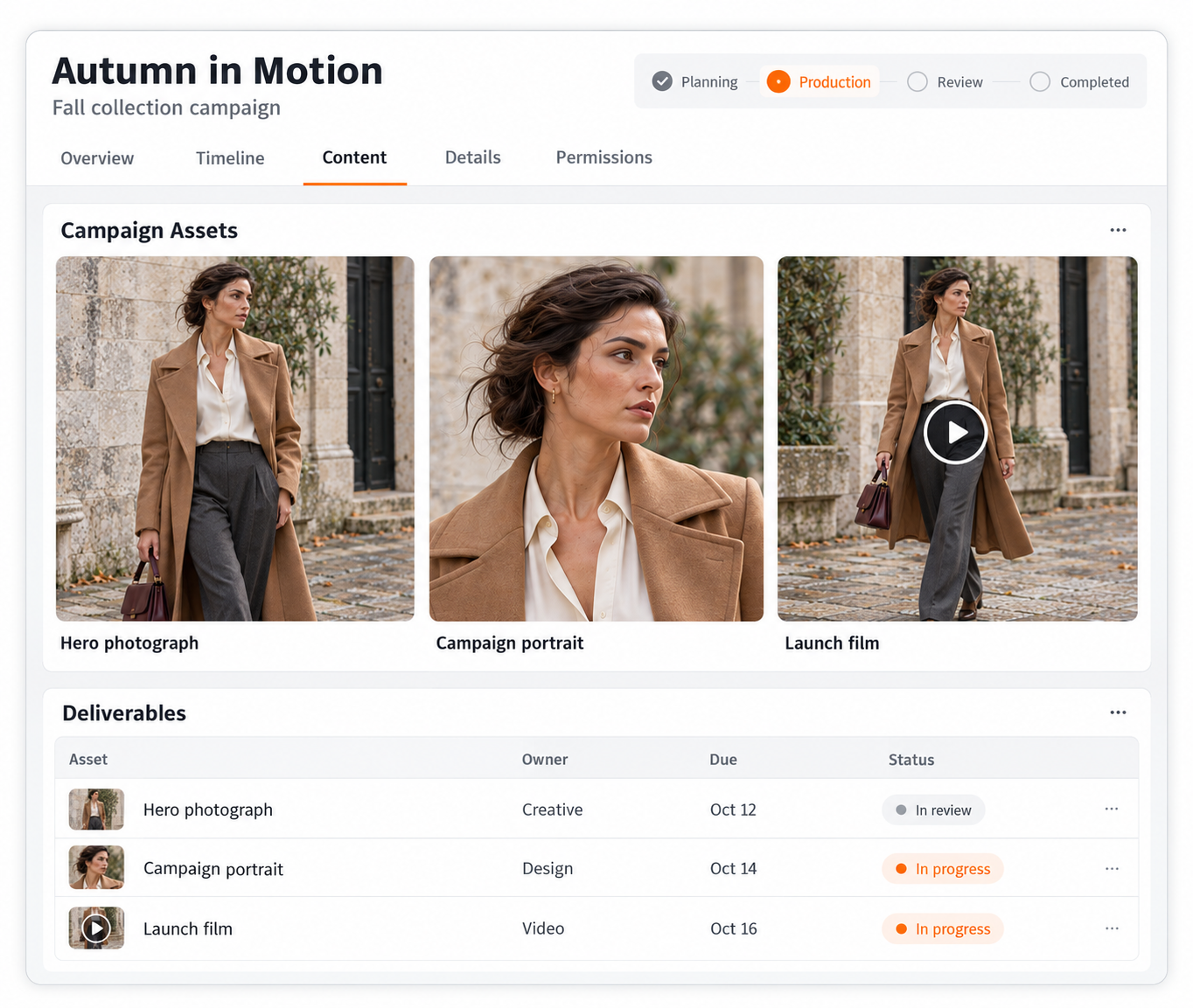
Keep tasks, files, deadlines, and creative tools connected so teams can manage projects where the content already lives.
- Work in familiar tools. Connect Adobe Creative Suite, Figma, and publishing tools.
- Manage work with assets. Track priorities, deadlines, deliverables, and progress.
- Reuse before recreating. Find assets with natural-language search, even inside video.
Give creative teams one operating view of the work instead of another system to reconcile.
CREATIVE REVIEW & APPROVAL
KEEP FEEDBACK CONNECTED
MOVE APPROVALS FASTER
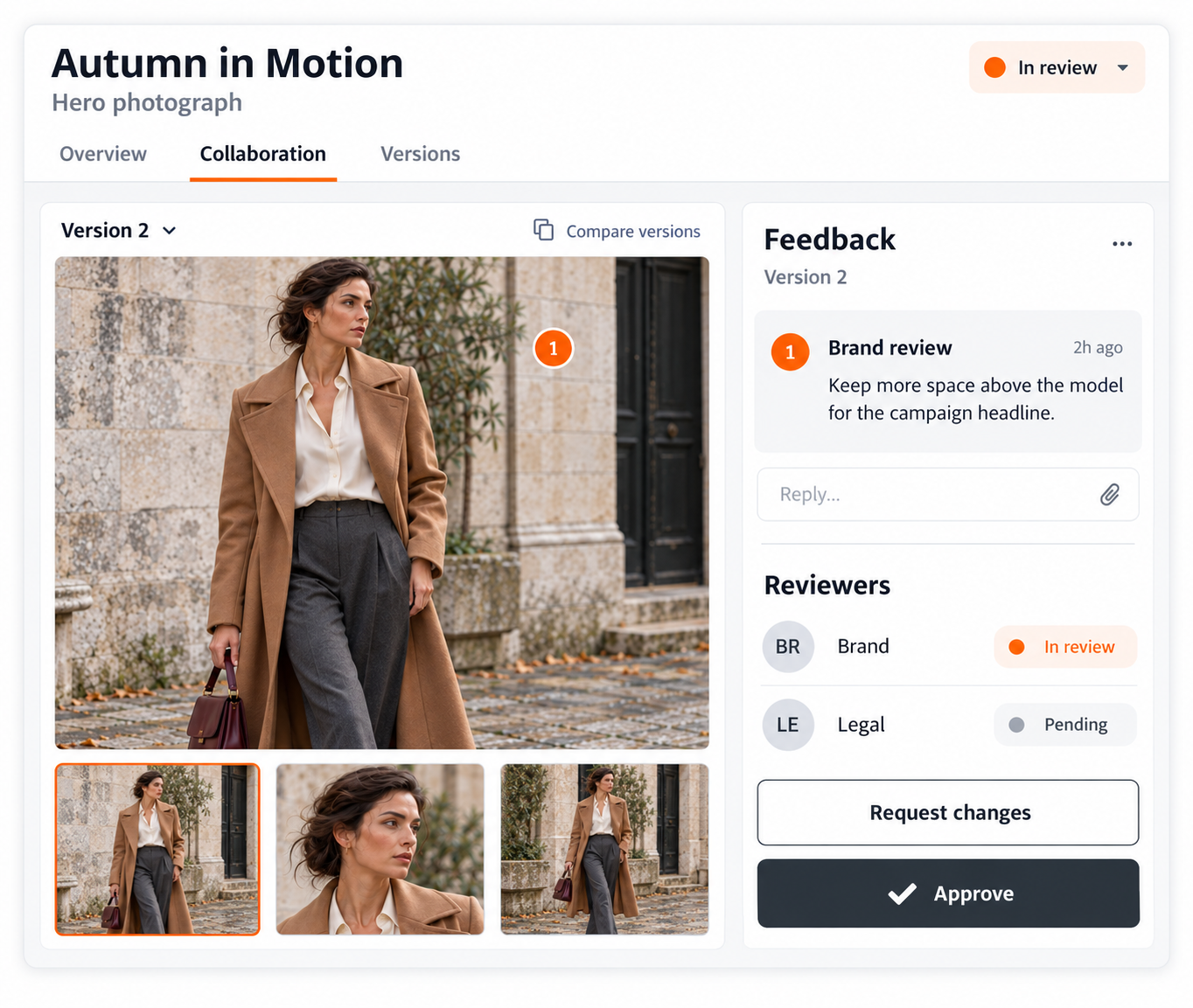
Review, annotate, compare, and approve creative work in the DAM so feedback and decisions stay tied to the right version.
- Review in context. Comment on photos, video, banners, and other creative files.
- Handle volume faster. Make selects and bulk-review shoots or campaign drops.
- Route the right review. Send content to legal, brand, or other approvers.
Reduce approval friction without separating feedback from the asset teams will actually use.
AI FOR CREATIVE OPERATIONS
PUT REPETITIVE WORK
IN AGENT HANDS
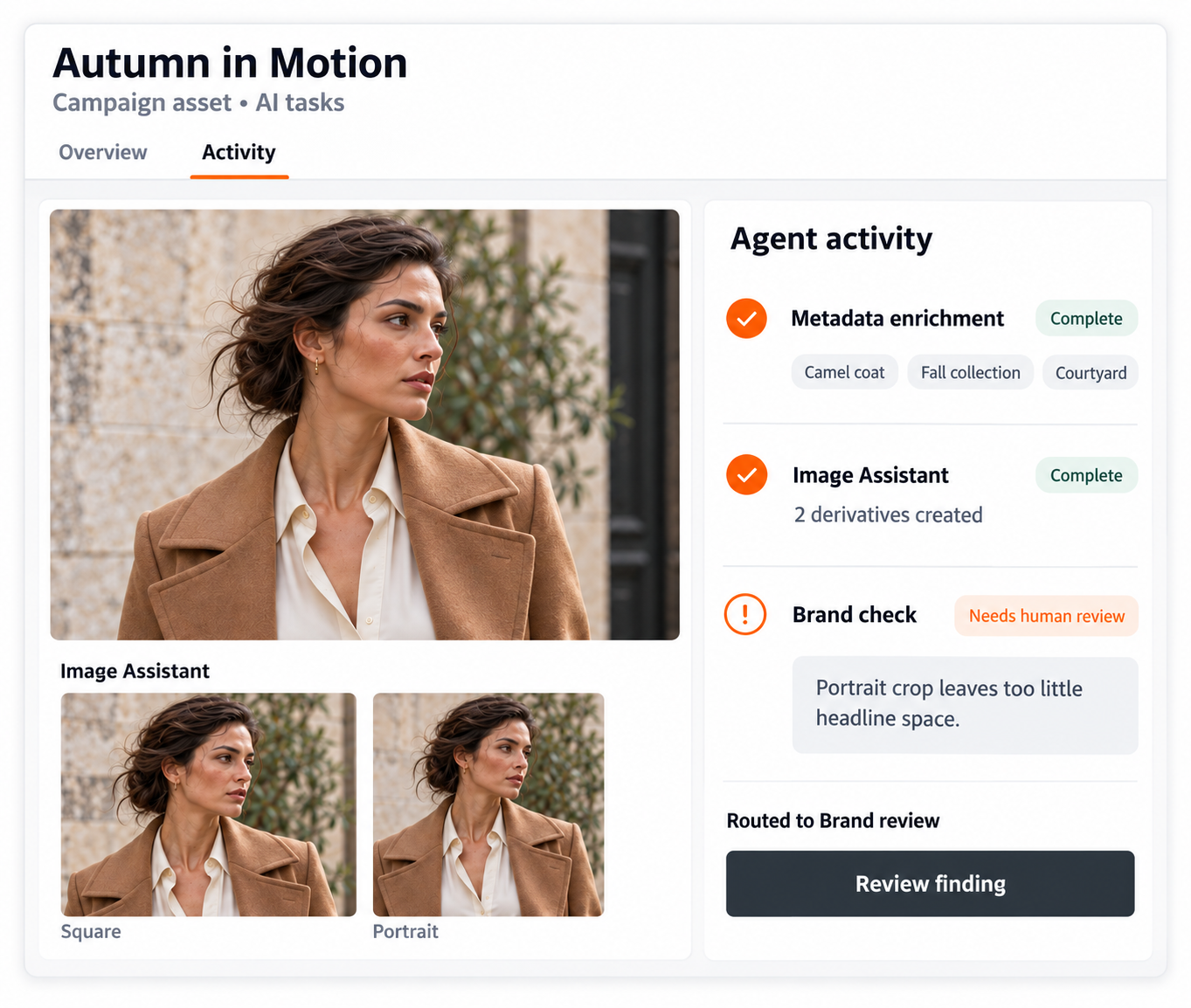
Use governed AI and agents for repeatable DAM tasks while people stay focused on creative judgment, strategy, and exceptions.
- Enrich and find content. Use AI for metadata enrichment and natural-language search.
- Create governed variants. Use Image Assistant to create derivatives from originals.
- Check and route work. Agents can check brand standards, route reviews, and escalate.
Reduce manual coordination without handing creative judgment or governance over to AI.
CREATIVE GOVERNANCE
KEEP CONTEXT CONNECTED
CONTROL WHAT GETS USED
Keep versions, rights, relationships, and access tied to creative assets as work moves from iteration to approved reuse.
- Track every version. Compare creative iterations and keep the right file current.
- Enforce usage rights. Link assets to campaigns and talent rights, then restrict use.
- Share with control. Use portals, watermarks, access requests, and download approvals.
Help teams move quickly with confidence that content is current, approved, and safe to use.

CREATIVE OPERATIONS INSIGHTS
SEE THE FULL LIFECYCLE
FIND THE BOTTLENECKS
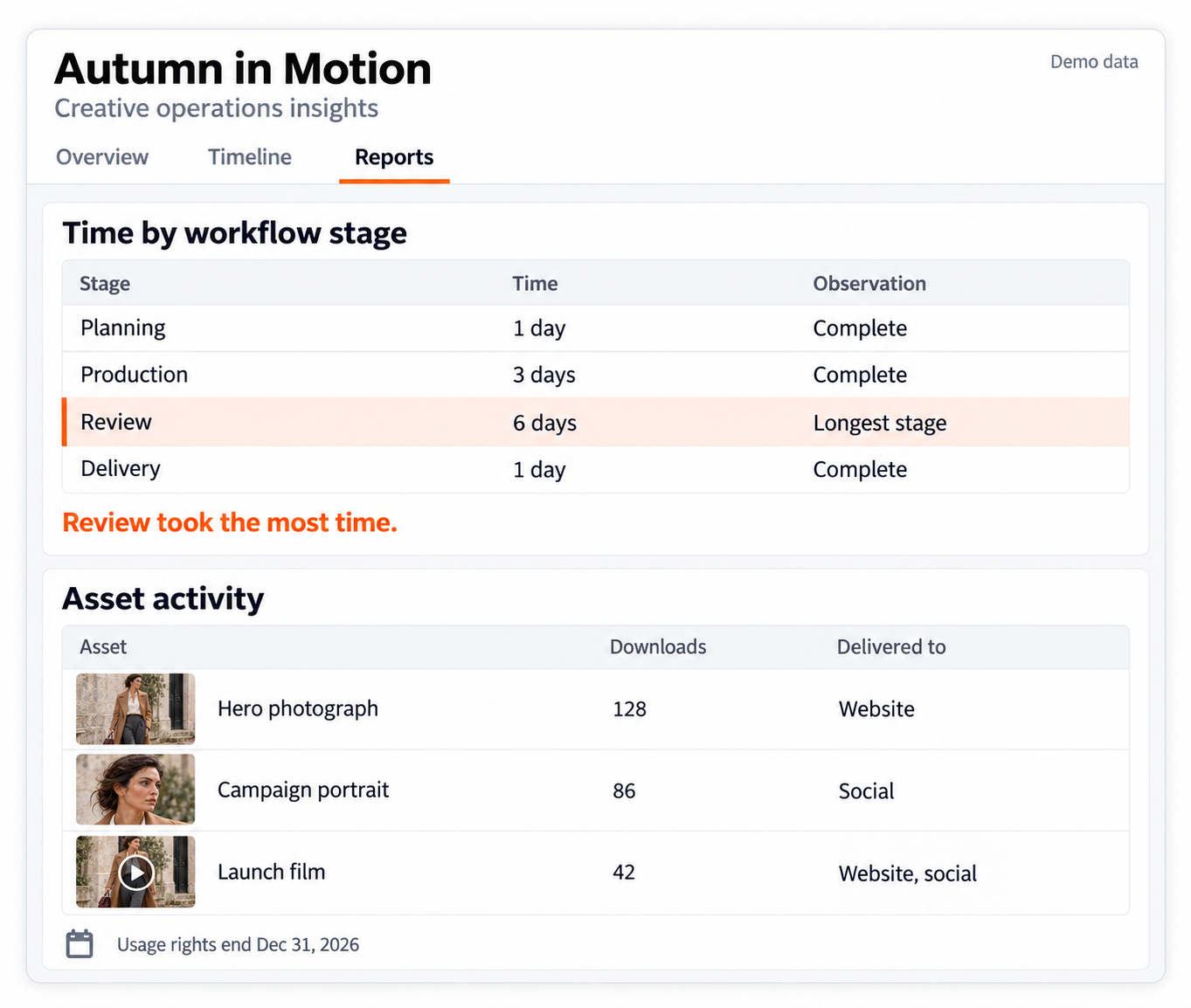
Use project and asset data to understand timelines, bottlenecks, approvals, usage, expirations, and distribution across the workflow.
- Track project health. Use dashboards for timelines, bottlenecks, and output.
- Follow asset usage. See engagement, approval history, usage, and expiration alerts.
- Review distribution. See where assets are delivered across platforms and channels.
Use operational evidence to improve how creative work moves, not just count what gets produced.
CUSTOMER SUCCESS STORIES
See how creative teams connect work, approvals, and content.

Case Study
A+E Global Media Connects Assets and Approvals
A+E combined asset management and talent approvals in one connected workflow.

Case Study
Instacart Keeps Adobe Work Connected
Instacart reduced file handoffs and kept Adobe work connected to the DAM.
Webinar
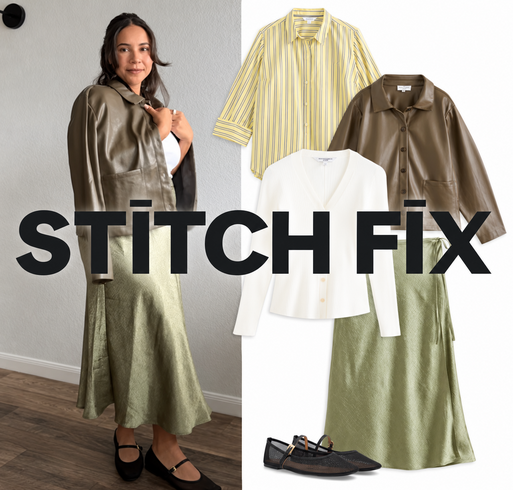
Stitch Fix Streamlines Creative Production
Stitch Fix linked Creative Force with Orange Logic to streamline its production pipeline.