DAM Workflow Design & Automation
DESIGN THE FLOW, AUTOMATE THE WORK
Build digital asset management workflows that coordinate people, actions, systems, and AI agents, or automations that take action when events or conditions occur.

MODERN WORKFLOW DESIGN
SEE THE PROCESS
CHANGE IT IN PLACE
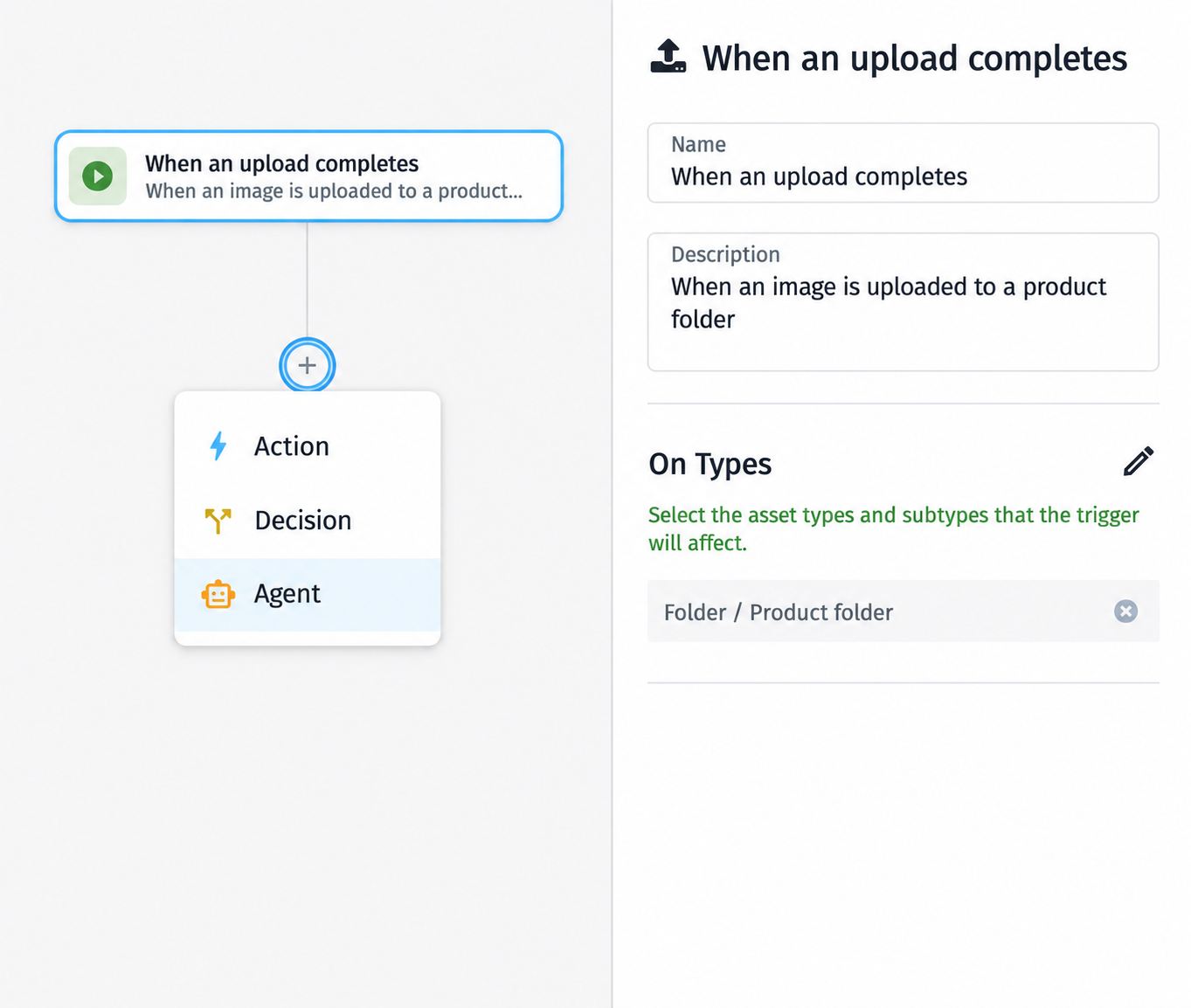
Build sophisticated processes in a modern visual workflow builder that makes the logic easy to follow. See how each step connects, make changes directly in the flow, and understand how the process works without digging through layers of technical configuration.
- Build visually. Add stages, transitions, decisions, conditions, and actions directly to the flow.
- Follow the logic. See how work moves from one step to the next at a glance.
- Change as needed. Adapt the process as requirements, teams, or business rules evolve.
Make sophisticated workflow design easier to understand, change, and improve.
WORKFLOWS + AUTOMATIONS
CREATE THE PROCESS
AUTOMATE ACTION
Some work needs to move through stages, decisions, people, actions, and agents. Other work should happen automatically the moment an event or condition is met. Orange Logic lets you design both in the same workflow designer.
- Guide work through a process. Use workflows to coordinate statuses, responsibilities, transitions, decisions, and next steps.
- Respond without manual intervention. Use automations to take action when assets are uploaded, metadata changes, dates are reached, or other events happen.
- Bring both together. Use automations within larger workflows when part of the process should run automatically.
Choose the right way to move work instead of forcing every process into the same model.
BUSINESS + IT
BUILD FOR ROBUST REQUIREMENTS
REUSE ACROSS TEAMS
Business teams can build and adapt the processes they know best. When deeper technical work is needed, IT and developers can create advanced workflows, automations, logic, and reusable components once, then make them available for future processes.
- Give teams more ownership. Let business users create and change workflows and automations around the way they work.
- Use developers where they add the most value. Build advanced logic, API calls, and specialized capabilities when the process requires them.
- Reuse what already works. Turn proven workflows, automations, and technical components into building blocks for new processes.
Business teams gain more autonomy while technical teams spend less time rebuilding the same capabilities.
MARKETPLACE ACTIONS
BRING CONNECTED SYSTEMS
INTO THE FLOW
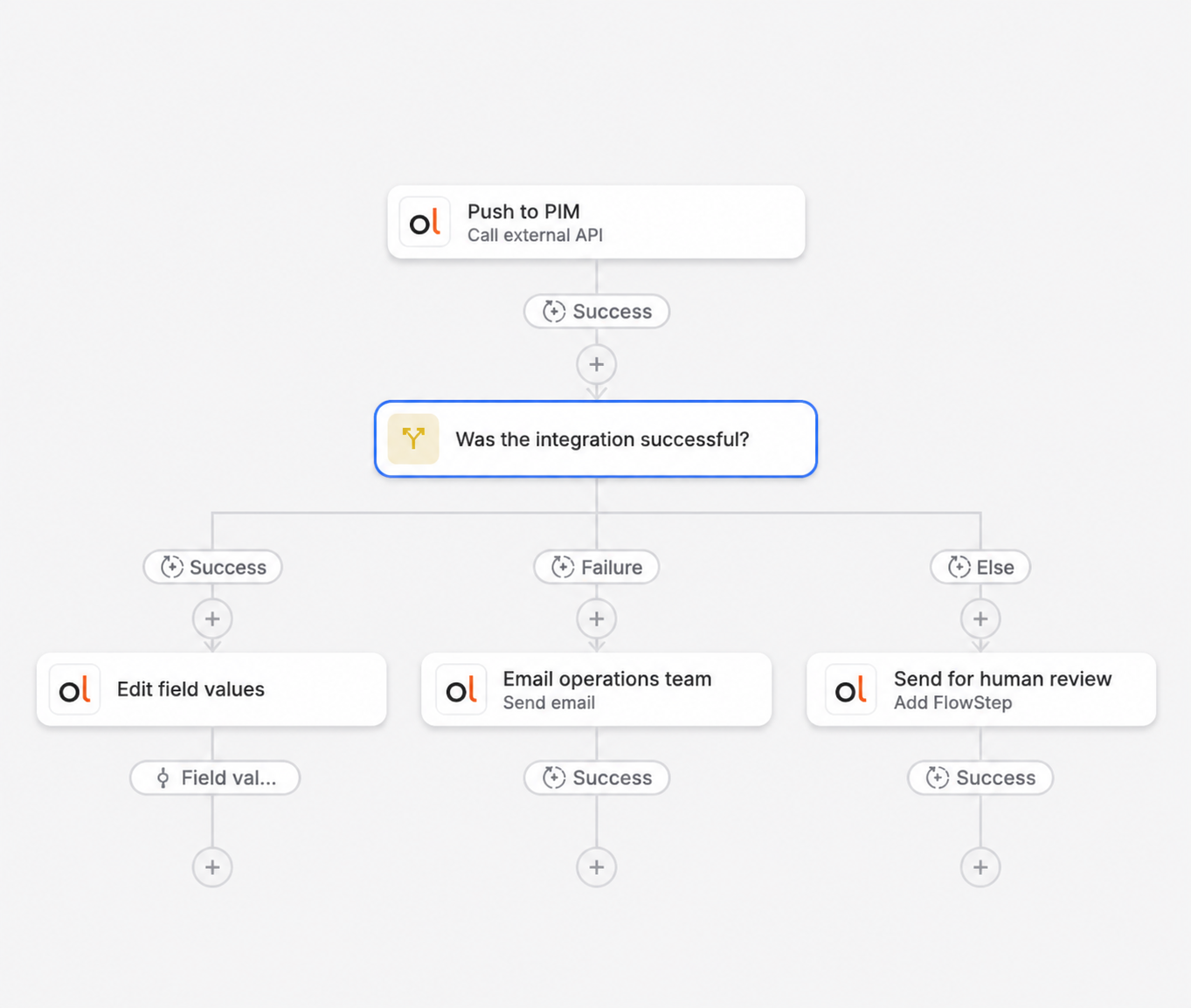
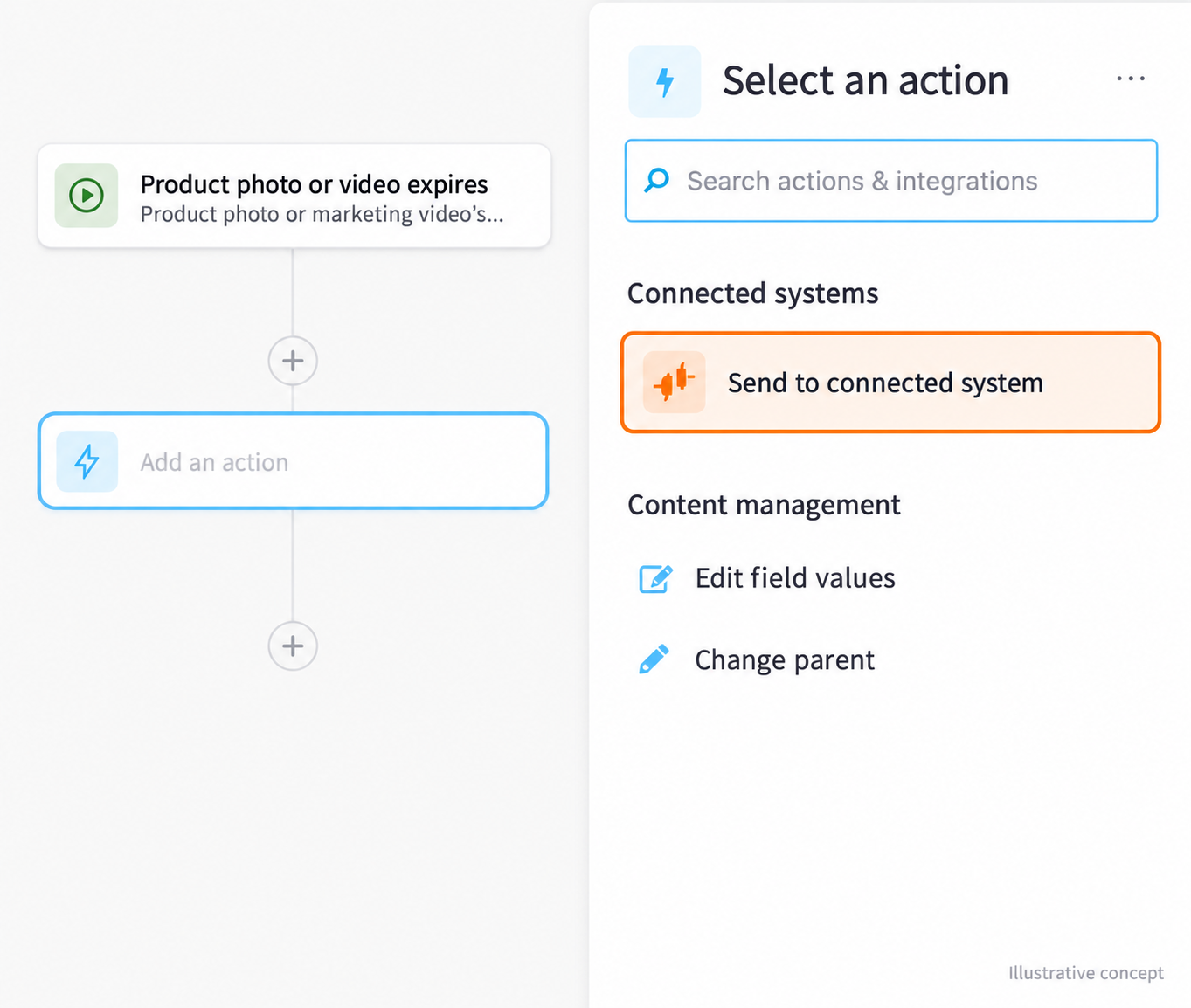
Activate an integration in the Orange Logic Marketplace and its available actions become part of the Workflow Design Tool. Use them alongside native Orange Logic actions wherever a workflow or automation needs to reach another system.
- Choose the action you need. Bring third party capabilities directly into the process as you build.
- Use them at the right moment. Call a connected system from a workflow step or when an automation is triggered.
- Keep work moving across systems. Coordinate what happens inside Orange Logic and beyond without breaking the flow.
Turn connected systems into part of the process, not a separate integration project.
AGENTIC WORKFLOWS
AUTOMATE EFFECTIVELY
WITH THE RIGHT AGENT
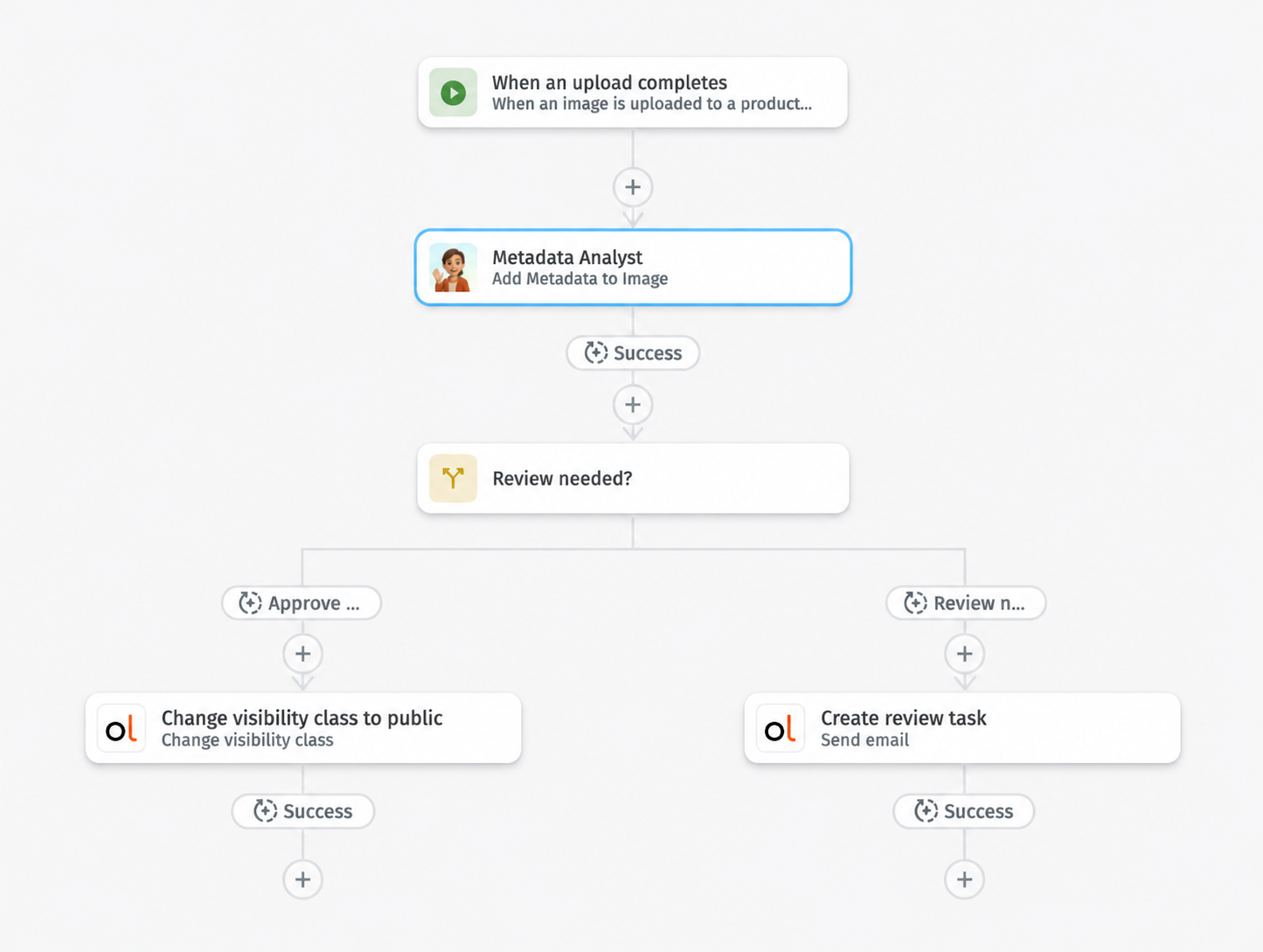
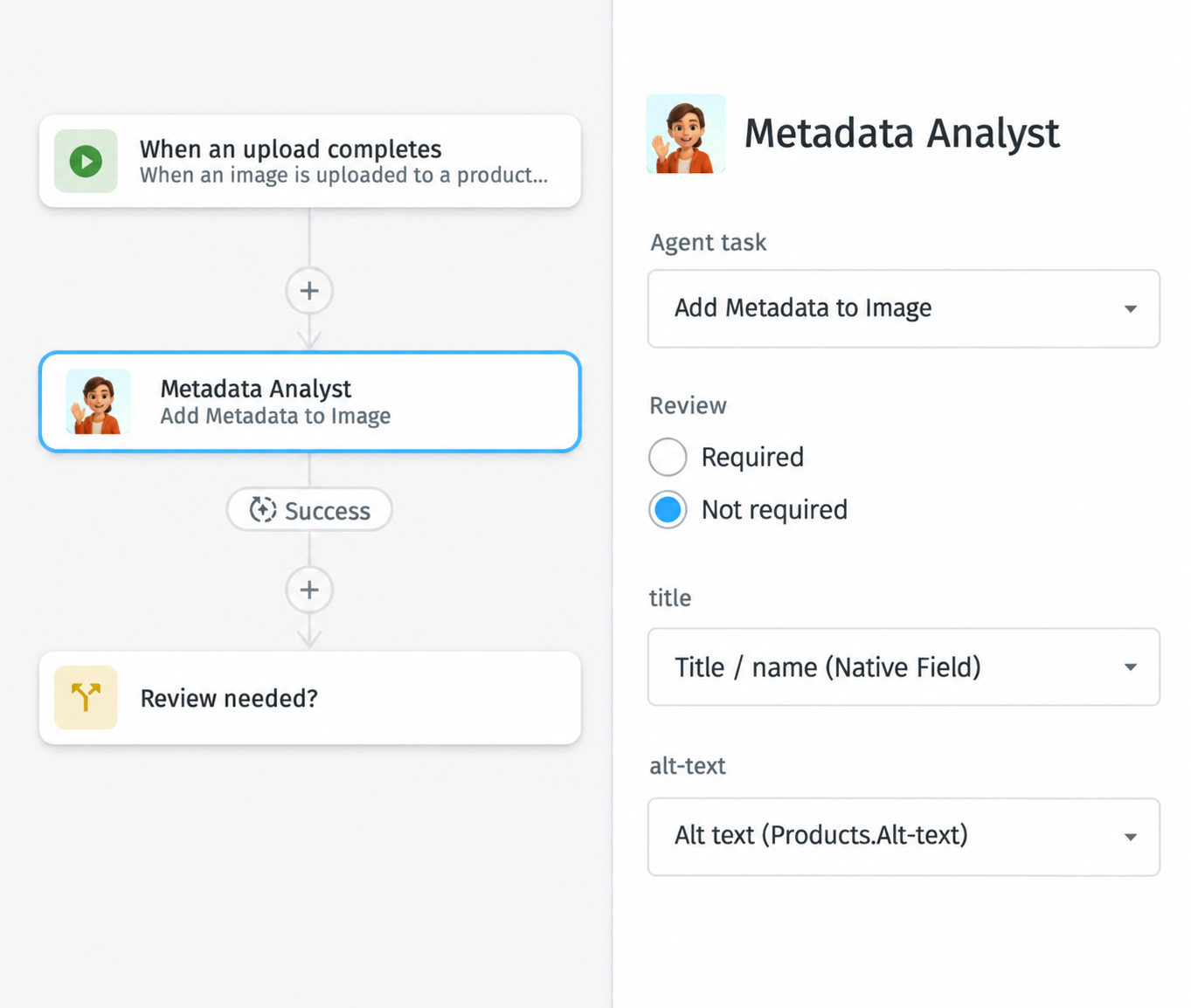
Bring AI agents directly into your DAM workflows alongside people and actions. Assign a specialist agent to a defined task, or use a manager agent to determine which specialist is best suited for the work at that step.
- Call a specialist for focused work. Use agents for enrichment, validation, classification, brand checks, and other defined tasks.
- Let a manager choose the right expertise. Give a manager agent responsibility for selecting and coordinating the specialist best suited to the work.
- Keep people involved where it matters. Add human review and oversight when judgment or approval is required.
Move beyond fixed automation by bringing the right intelligence into the process when the work calls for it.
GOVERNED SCALE
GIVE TEAMS MORE FREEDOM
WITHOUT LOSING CONTROL
As more teams build and adapt their own processes, Orange Logic keeps ownership, changes, and execution visible and governed.
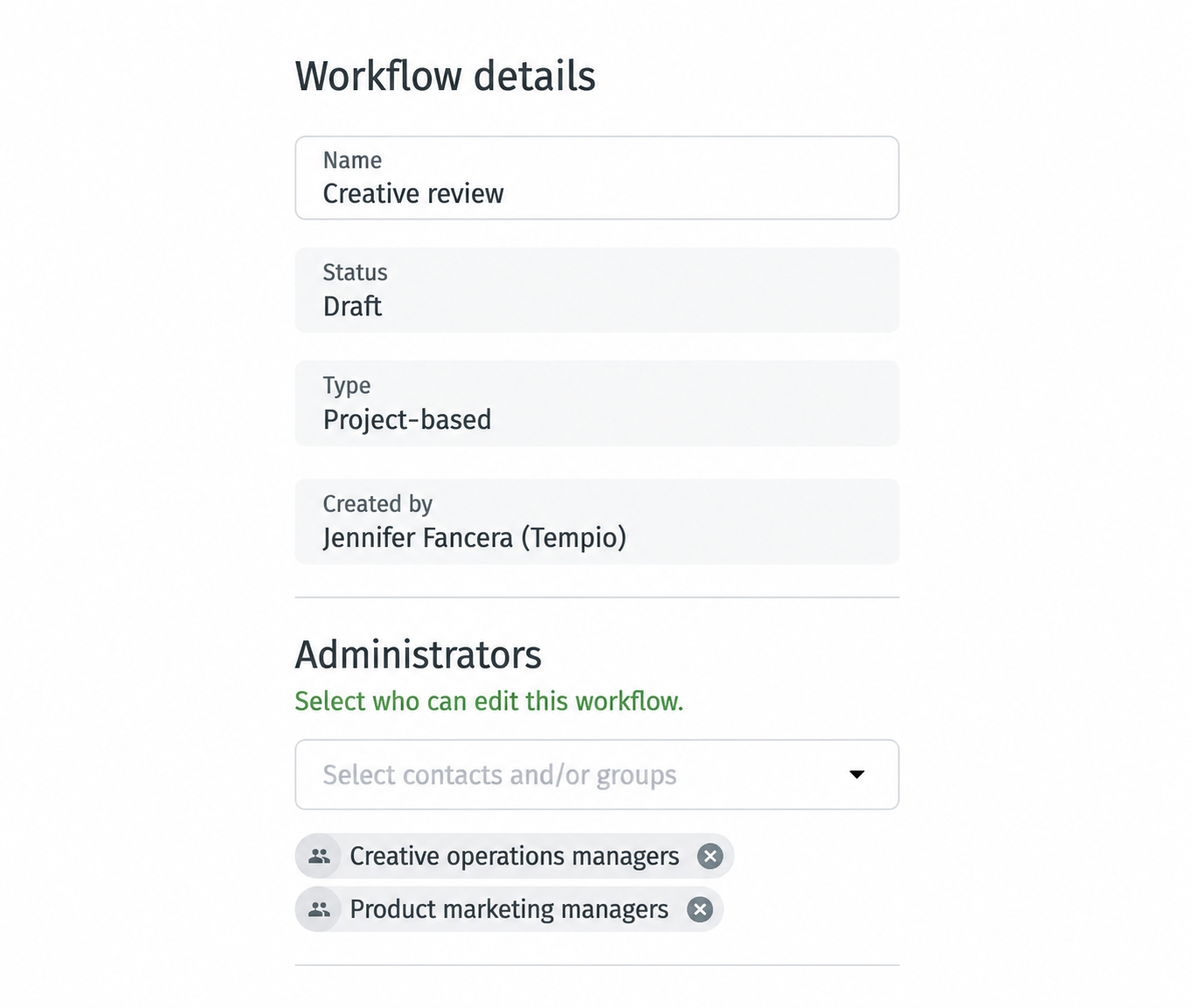
- Distribute ownership safely. Give teams responsibility for the workflows they manage without giving them access to everything.
- Keep change accountable. Maintain versions and history as workflows and automations evolve.
- See what happened. Use logs to understand execution, troubleshoot issues, and improve how processes run.
Scale workflow ownership while maintaining visibility and governance.