Templates
SCALE CREATIVE WITHOUT SCALING THE WORKLOAD
Turn approved InDesign designs into locked brand templates. Non-creative teams create versions for print, web, and social while creative stays in control of the brand.

CREATIVE SCALE
MAKE ONE DESIGN
WORK HARDER
Creative teams should not have to rebuild the same work every time a market, campaign, office, or team needs a variation. Turn approved InDesign designs into reusable templates that let the business get more from the creative work already done.
- Scale creative team work. Use one approved design across more teams, markets, campaigns, and use cases.
- Reduce repeat requests. Take routine variation tasks off the designers who would otherwise have to create them.
- Extend the life of great creative. Keep approved designs useful as new needs and opportunities emerge.
Create the design once, then use it across the business.
SELF-SERVICE CREATION
LET TEAMS HANDLE THE
EVERYDAY CHANGES
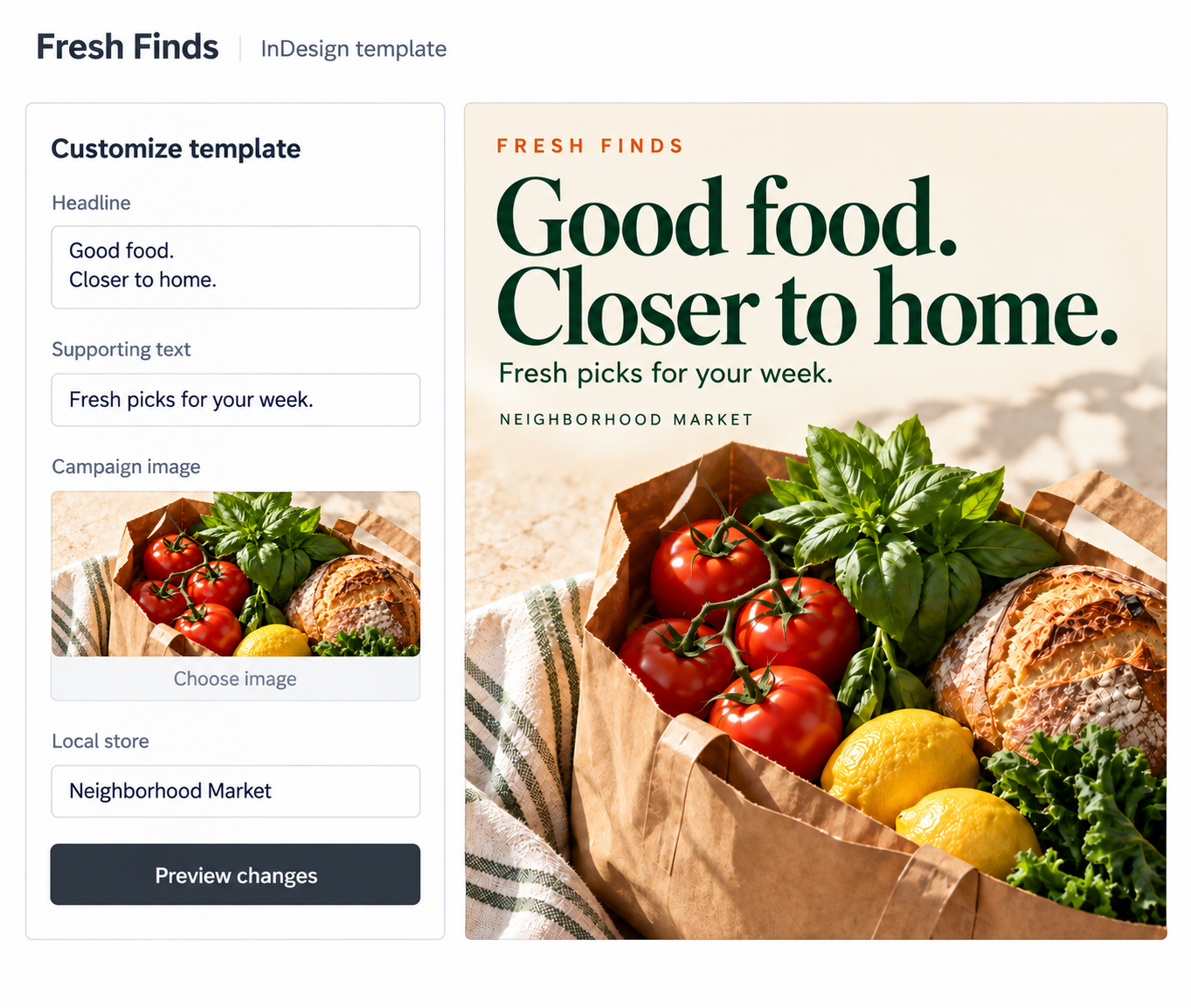
Not every change needs a designer. Give non-creative users a simple way to update the parts of an approved template that matter to them without learning InDesign or sending another request back to creative.
- Make changes simple. Give users clear fields for the text, images, and information they are allowed to update.
- Skip the design software. Let teams create finished materials without professional creative tools or expertise.
- Move at business speed. Let the people closest to the market, customer, or campaign make routine updates themselves.
Delegate everyday changes to the people who need to make them.
BRAND CONTROL
OPEN WHAT CAN CHANGE
LOCK WHAT CANNOT
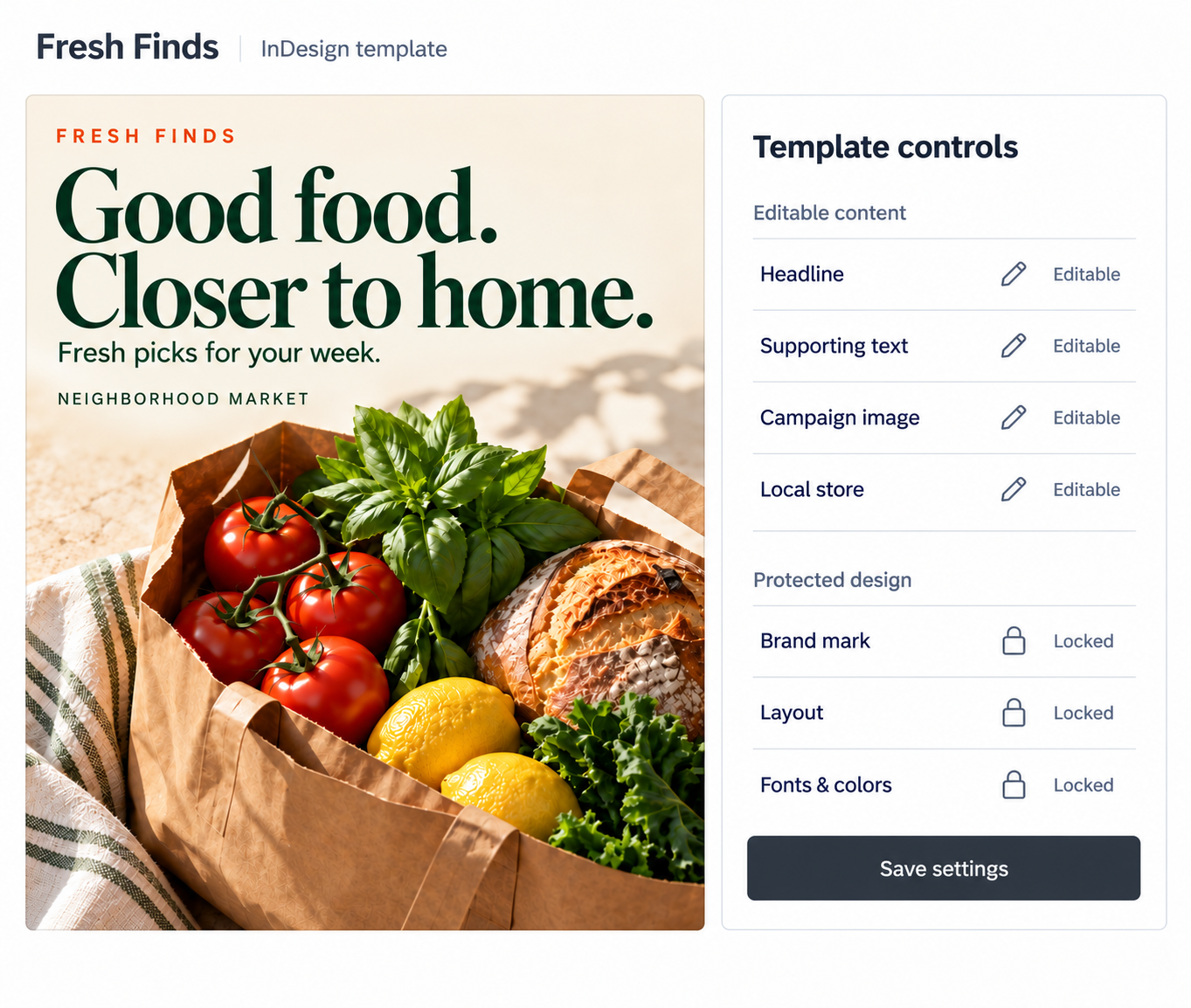
Self-service should not mean giving everyone control of the design. With centralized template management, creative decides where a template can flex and which elements stay protected before anyone starts customizing it.
- Protect the design. Lock layouts, logos, fonts, colors, and other elements that should remain consistent.
- Choose what can change. Define exactly which text, imagery, and other fields users can modify.
- Set the boundaries once. Give teams freedom to work inside an experience creative has already approved.
Give the business more independence without giving up creative control.
APPROVED CONTENT
SUPPLY THE RIGHT CONTENT
TO NON-CREATIVE TEAMS
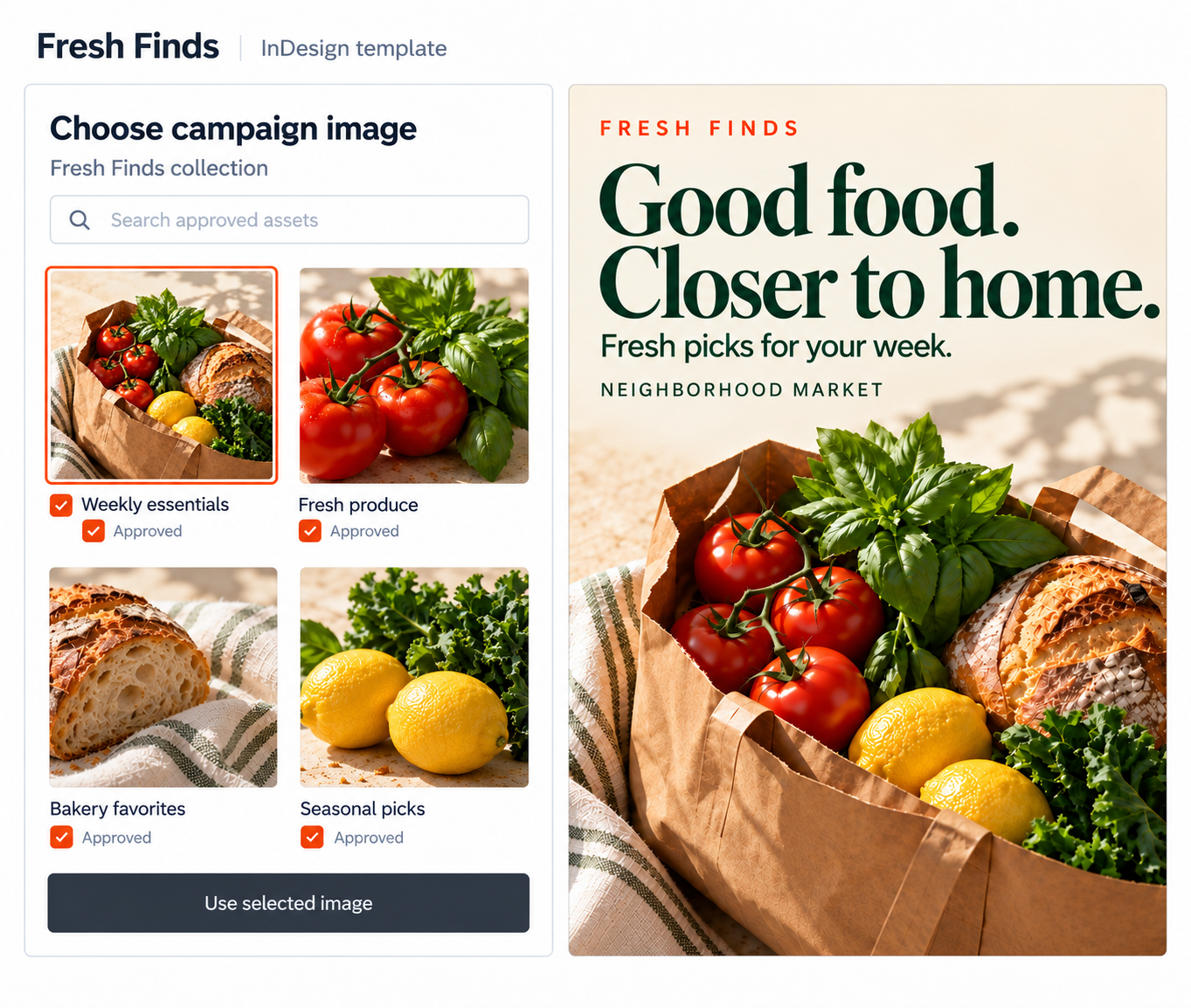
Give users more than an editable field. Give them the approved DAM assets that belong there, so they can choose the right image, logo, or campaign content without searching for it somewhere else.
- Curate the choices. Define which approved assets users can select for each template.
- Keep content connected. Let teams work with assets already managed and governed in the DAM.
- Reduce the wrong choices. Keep outdated, unapproved, or irrelevant content out of the customization process.
Make it easier for teams to choose assets correctly without asking creative for help.
PERSONALIZATION & LOCALIZATION
MAKE EVERY VERSION
FIT ITS AUDIENCE
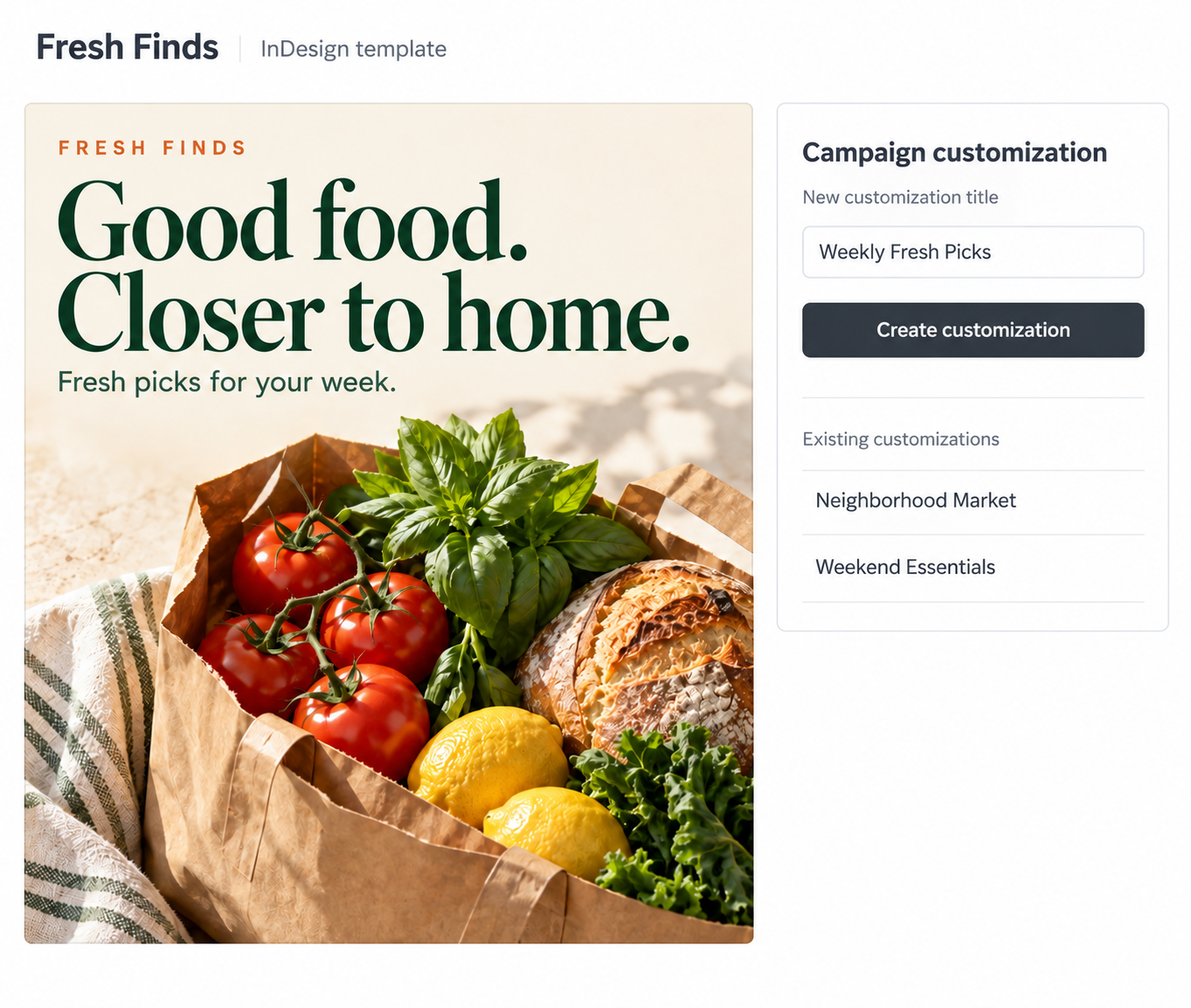
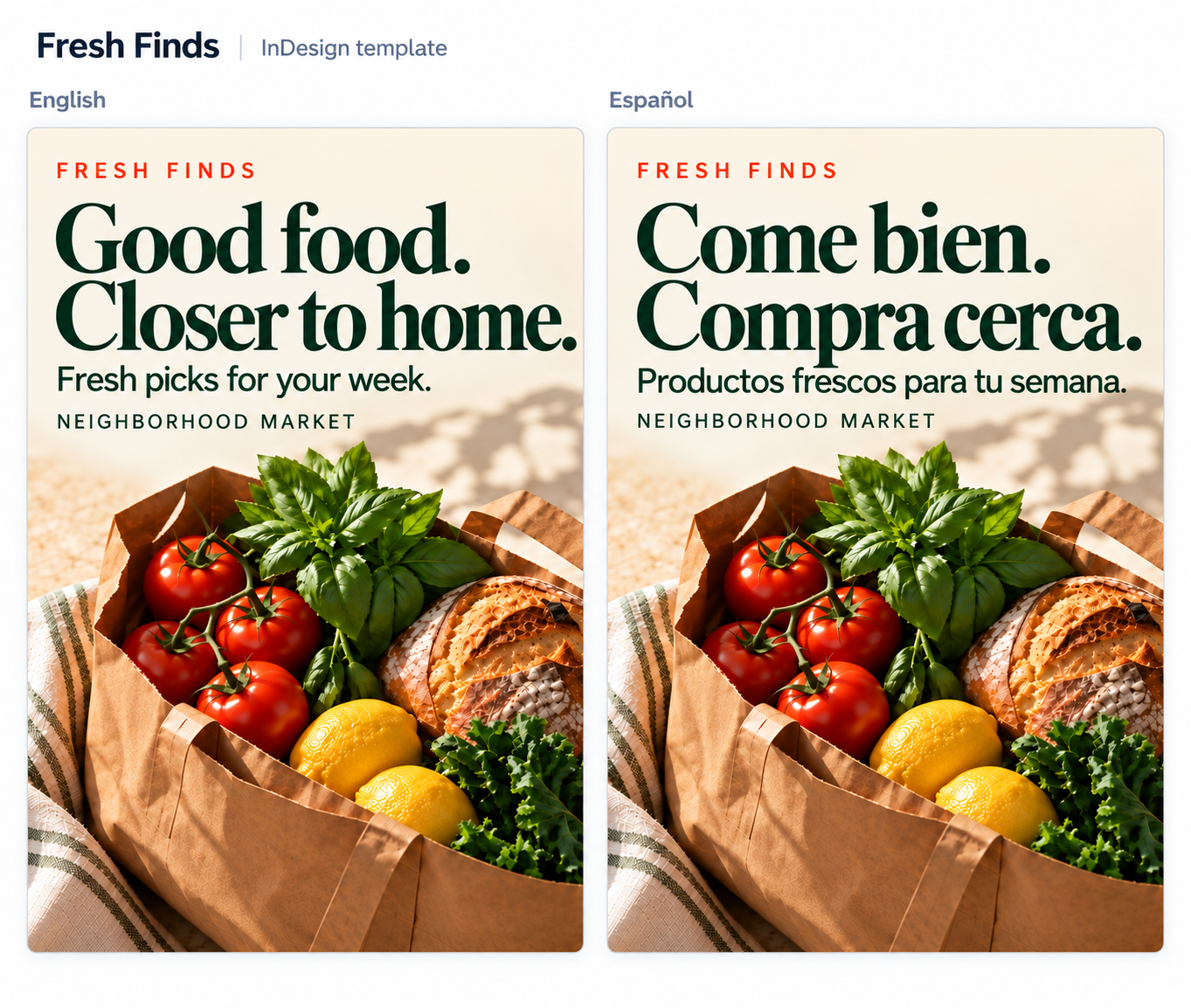
The same approved design can support different markets, languages, audiences, and campaigns without becoming another creative project. Change the content that needs to change while the underlying design stays consistent.
- Adapt for the audience. Personalize approved messaging, imagery, logos, colors, and other permitted elements.
- Localize at scale. Create variations for different regions and languages without rebuilding the design.
- Use context to drive the version. Apply metadata, user inputs, campaign data, external data, or business rules to determine what appears.
Create more relevant content without multiplying the design work.
READY FOR EVERY CHANNEL
EASILY CREATE FOR
PRINT, WEB, AND SOCIAL
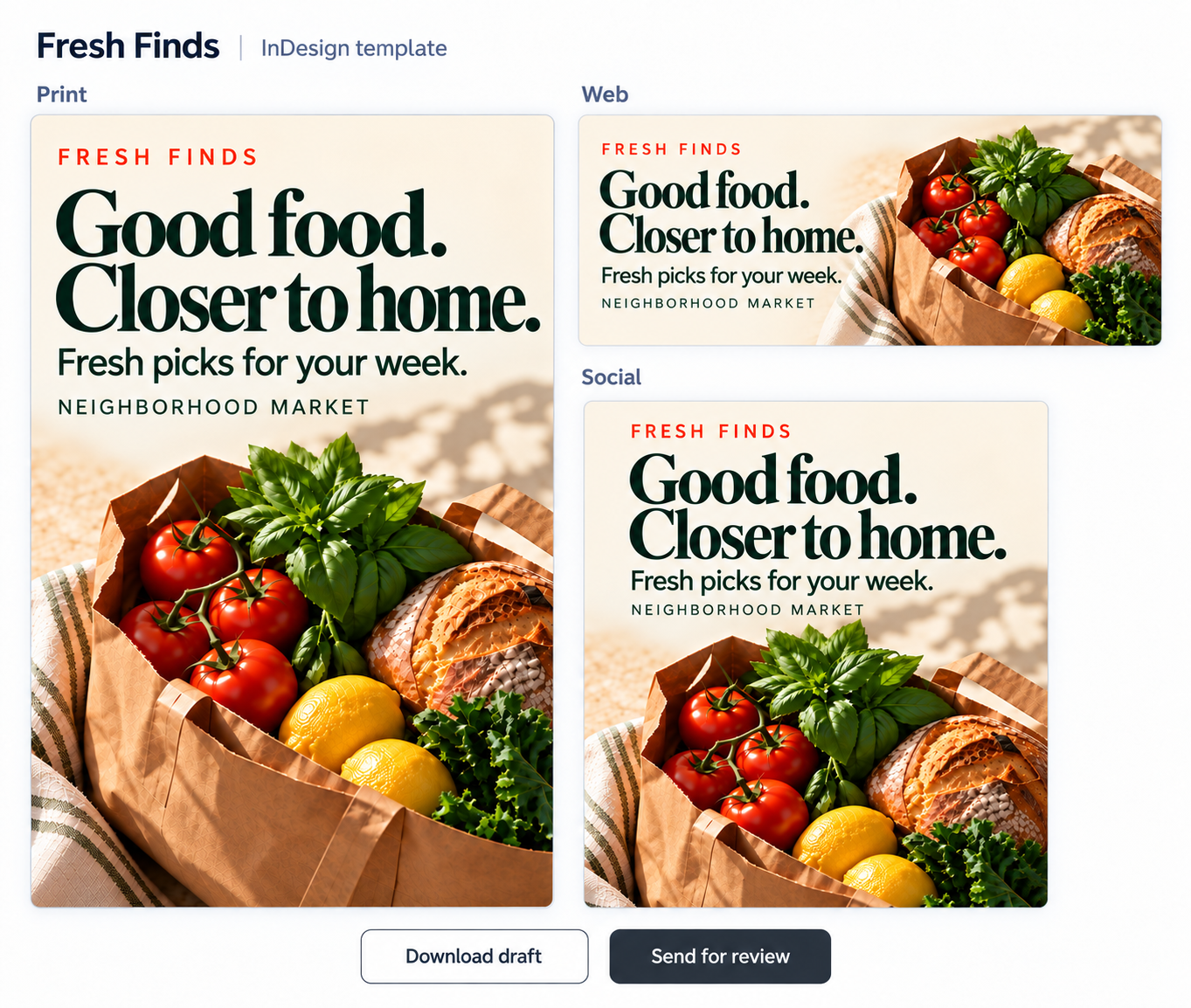
A template should not stop at customization. Give teams a faster path from approved creative to the finished content they need for print, web, social, and other campaign uses.
- Create for the channel. Turn the same approved template into the variations required for different formats and destinations.
- Add review where needed. Route selected versions for approval before they are released.
- Keep campaigns moving. Continue into print and fulfillment workflows when needed, and retire templates when they should no longer be used.
Turn approved creative into market-ready content without sending every version back through design.