

Content Generation & Distribution
CONNECT CONTENT GENERATION AND DISTRIBUTION
Take content from first draft to final channel without breaking the workflow. Create and manage content where it lives, then deliver it wherever it needs to go.


KEEP THE WORK CONNECTED
FROM DRAFT TO DELIVERY
Content rarely starts and ends in the same place. When creation, review, and distribution happen across disconnected tools, teams spend time moving files and sorting out versions instead of moving the work forward.
When every stage lives in a different tool, teams lose time moving files, reconciling versions, and rebuilding context across the content workflow.
Orange Logic keeps the asset, its history, rights, and workflow connected from creation through distribution.
Move content forward without losing the context behind it.
CONTENT WORKFLOW MANAGEMENT
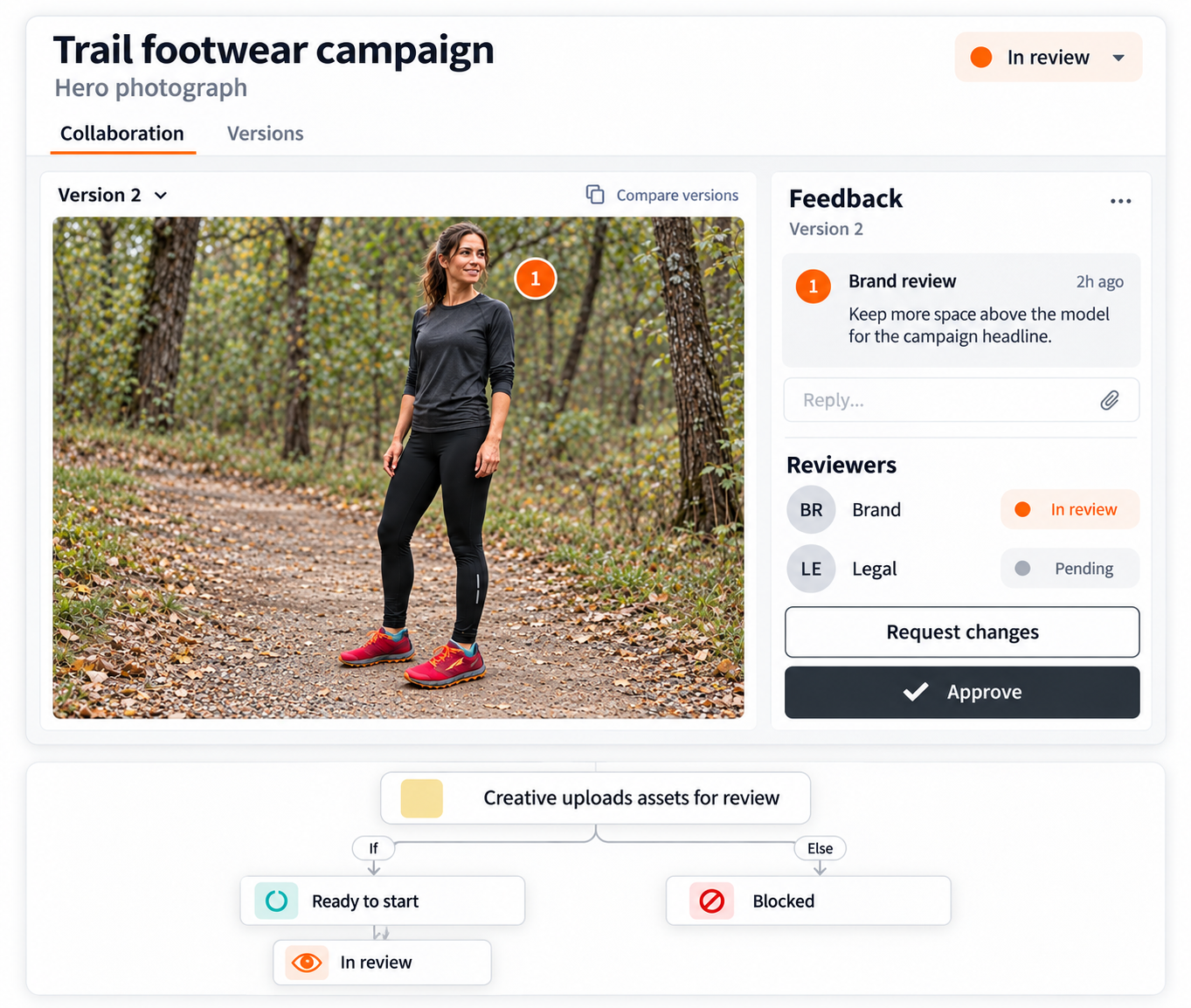
MOVE WORK INTO APPROVAL
WITH CONTEXT INTACT
Store work-in-progress and final files together, so the work stays connected as it moves toward approval.
- Track each version. Keep changes and approval history tied to the asset.
- Capture feedback. Keep comments and decisions alongside the work in progress.
- Build in guardrails. Apply rights and licensing controls before content moves out.
Give teams one connected path from active work to approved content, without losing track of what changed along the way.
CREATIVE TOOL INTEGRATIONS
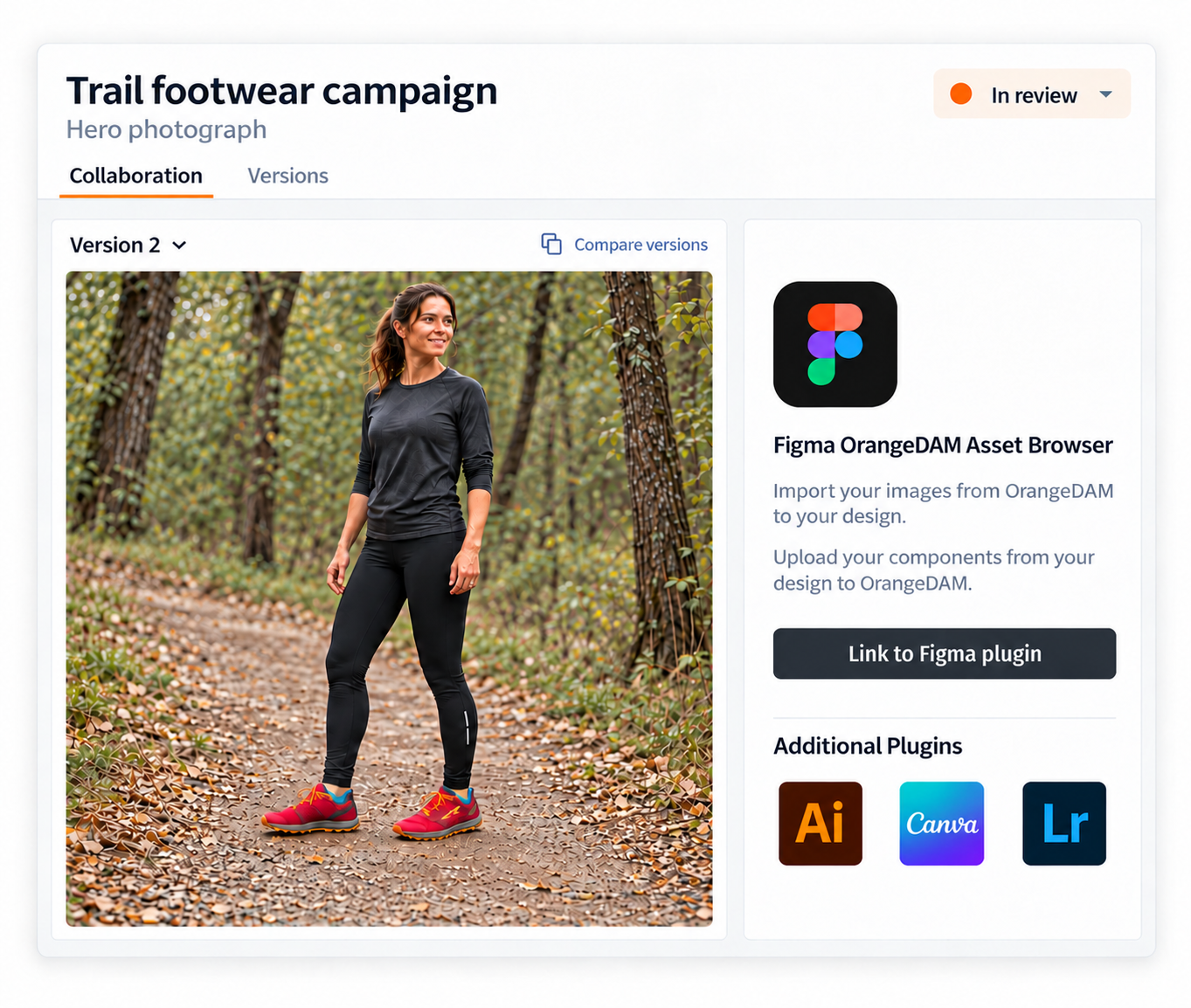
LINK TO YOUR CREATIVE TOOLS
KEEP THE DAM IN SYNC
Connect Orange Logic to the tools teams already use, so they can work with DAM assets without disrupting the workflow around them.
- Use familiar tools. Access and save assets from Adobe, Figma, and connected apps.
- Keep files in sync. Ensure WIP and approved content stay updated in the DAM.
- Expedite with AI: Automate tagging, routing, and publishing per DAM rules.
Let creative teams work the way they're used to while the DAM keeps the work and its history together.
CONTENT REPURPOSING
REPURPOSE CONTENT
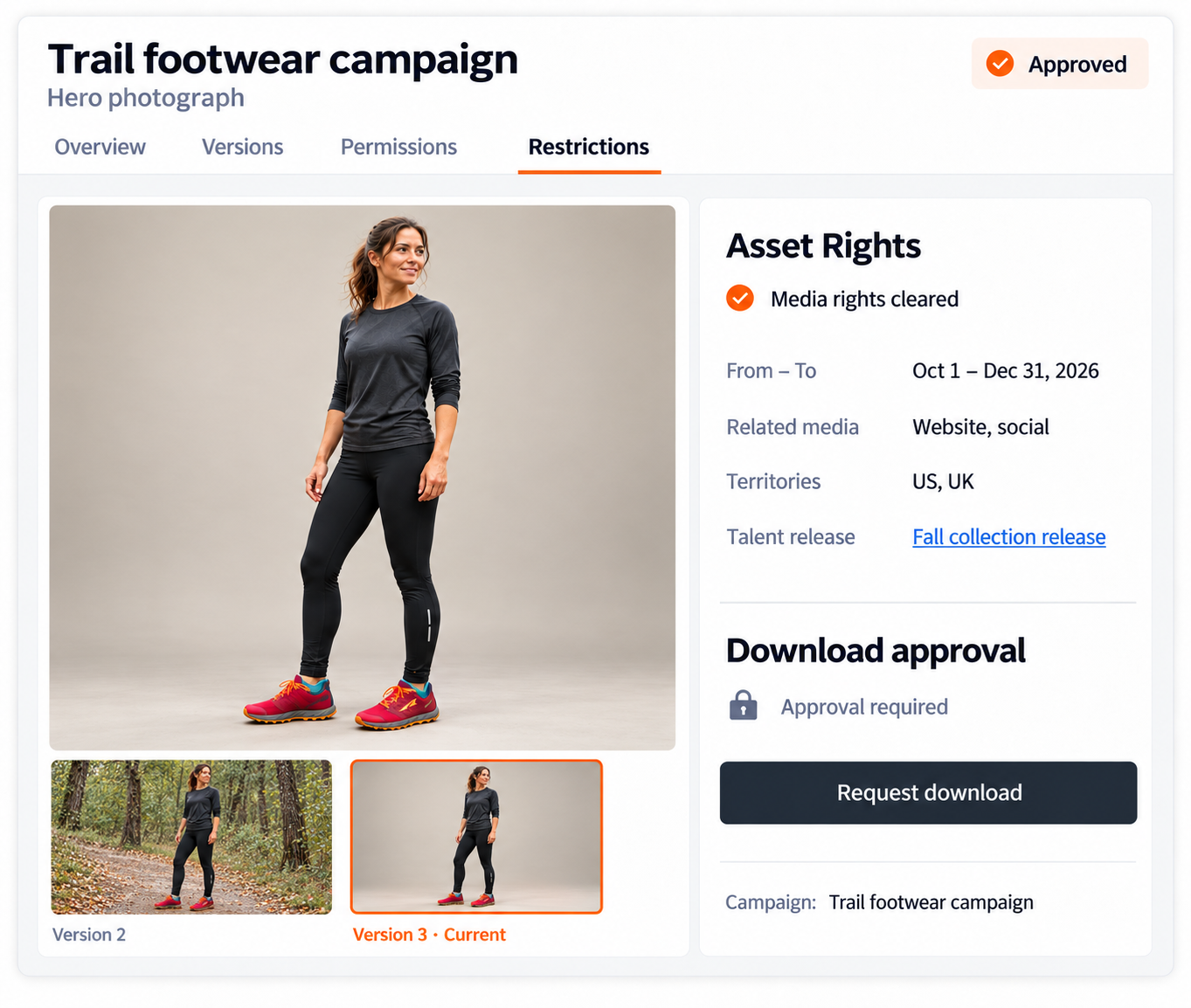
KEEP RIGHTS ATTACHED
Adapt approved content for new uses without losing the rights and licensing rules attached to it.
- Edit without exporting. Trim video, update layered files, and localize in the DAM.
- Create new variants. Generate visuals, swap products, or rework backgrounds with AI.
- Keep rights attached. Track rights, licenses, and expirations as assets are reused.
Give teams more ways to reuse existing content while keeping the controls around it intact.
CONTENT DISTRIBUTION
PUBLISH FROM ONE SOURCE
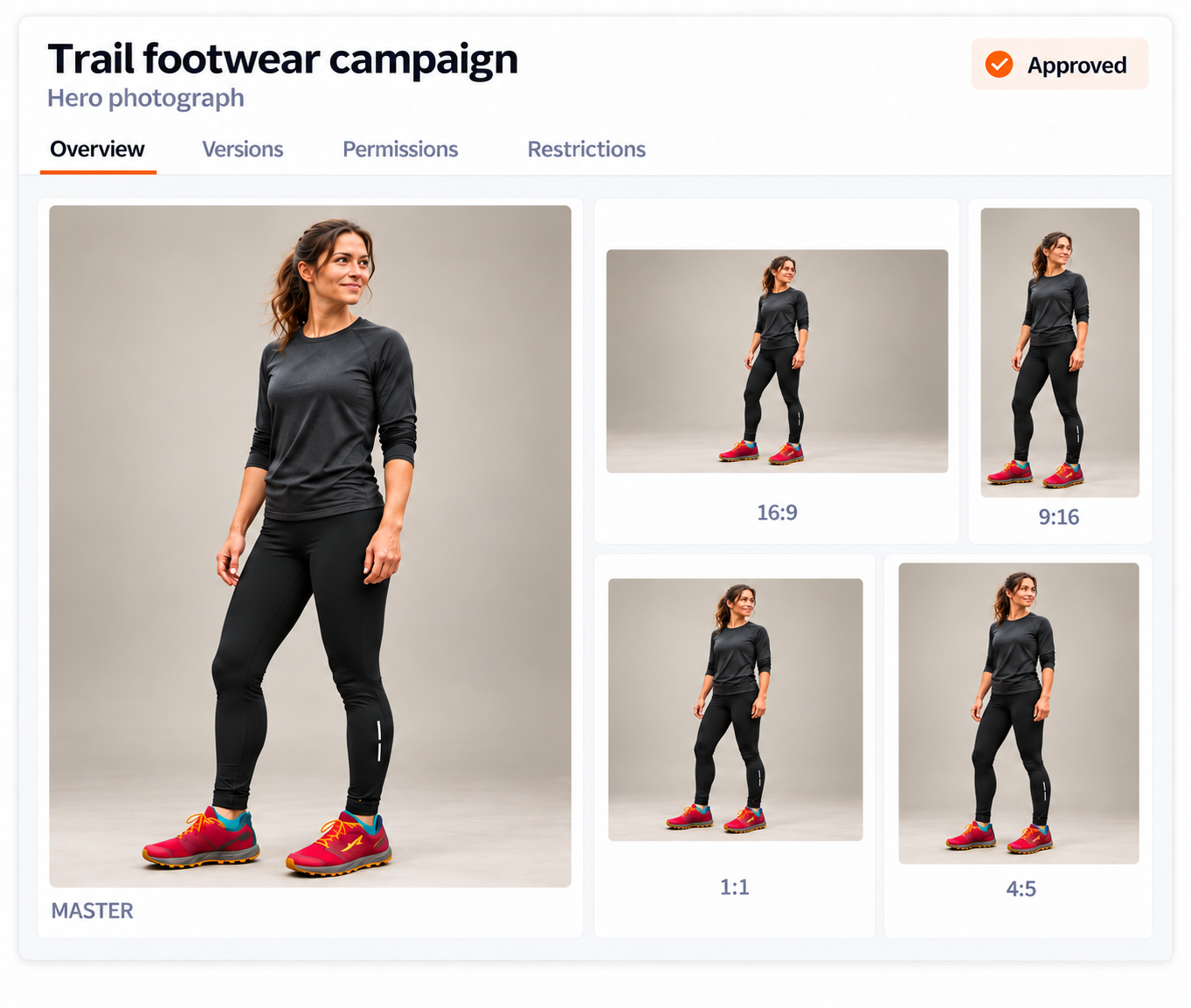
DISTRIBUTE CONTENT EVERYWHERE
Prepare approved content for different channels from one source, without rebuilding each version by hand.
- Format automatically. Prepare assets for social, web, and video channel requirements.
- Deliver through the CDN. Give teams fast, secure access to approved asset formats.
- Track performance. See how content is used across channels and respond to results.
Reach more audiences without adding more manual work.
BRANDED CONTENT PORTALS
GIVE EVERY AUDIENCE
THE RIGHT EXPERIENCE
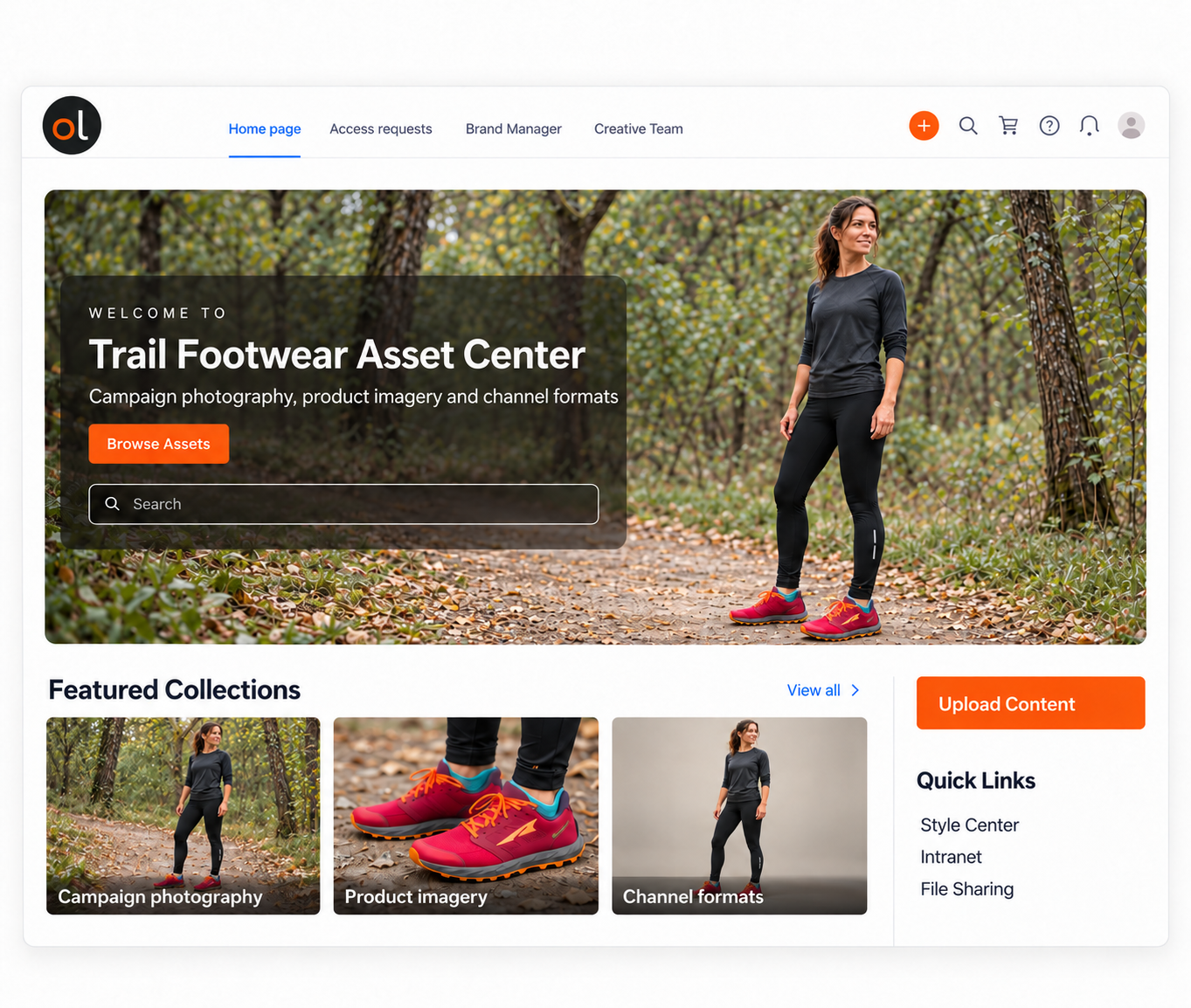
Create tailored portals for teams, agencies, partners, or clients while keeping access and brand controls in the DAM.
- Control access. Set permissions for sensitive, embargoed, or in-progress content.
- Review in one place. Let stakeholders comment, approve, or request edits together.
- Protect the brand. Set rules for logos, colors, fonts, layouts, and templates.
Give more people access to content while keeping every experience on brand.
CUSTOMER SUCCESS STORIES
See how teams streamline creation, approvals, and distribution.
Case Studies
SAS Unifies Eight Legacy Systems in One DAM
SAS cut web asset duplication by 90%, sped up approvals and connected its global MarTech stack.

Case Studies
How Instacart Streamlined Workflows with DAM
How the largest online grocery service streamlined its creative workflows by switching DAMs.

Case Studies
Lionsgate's Modern DAM Story
Lionsgate built a secure system of record for marketing assets and global distribution with Orange Logic.