COMPLETE 3D ASSET MANAGEMENT
MANAGE EACH 3D MODEL
WITH ITS COMPONENT FILES
Spin a 3D model and you’re seeing several files at work at once, each one handling shape, surface, or finish. Orange Logic ingests all those files together, so the model always has what it needs to look right.
- Ingest complete packages. Upload a ZIP of the model and its files, and view the 3D model as soon as Orange Logic extracts it.
- Keep components together. Link textures and materials to the model’s geometry and metadata on ingest.
- Manage 3D with everything else. Find and share models from the same library as your images, video, and documents.
Every file the model needs stays attached to it, so it renders with full textures and materials for anyone who opens it.
NATIVE 3D VIEWING
EXPLORE 3D MODELS
WITHOUT 3D SOFTWARE
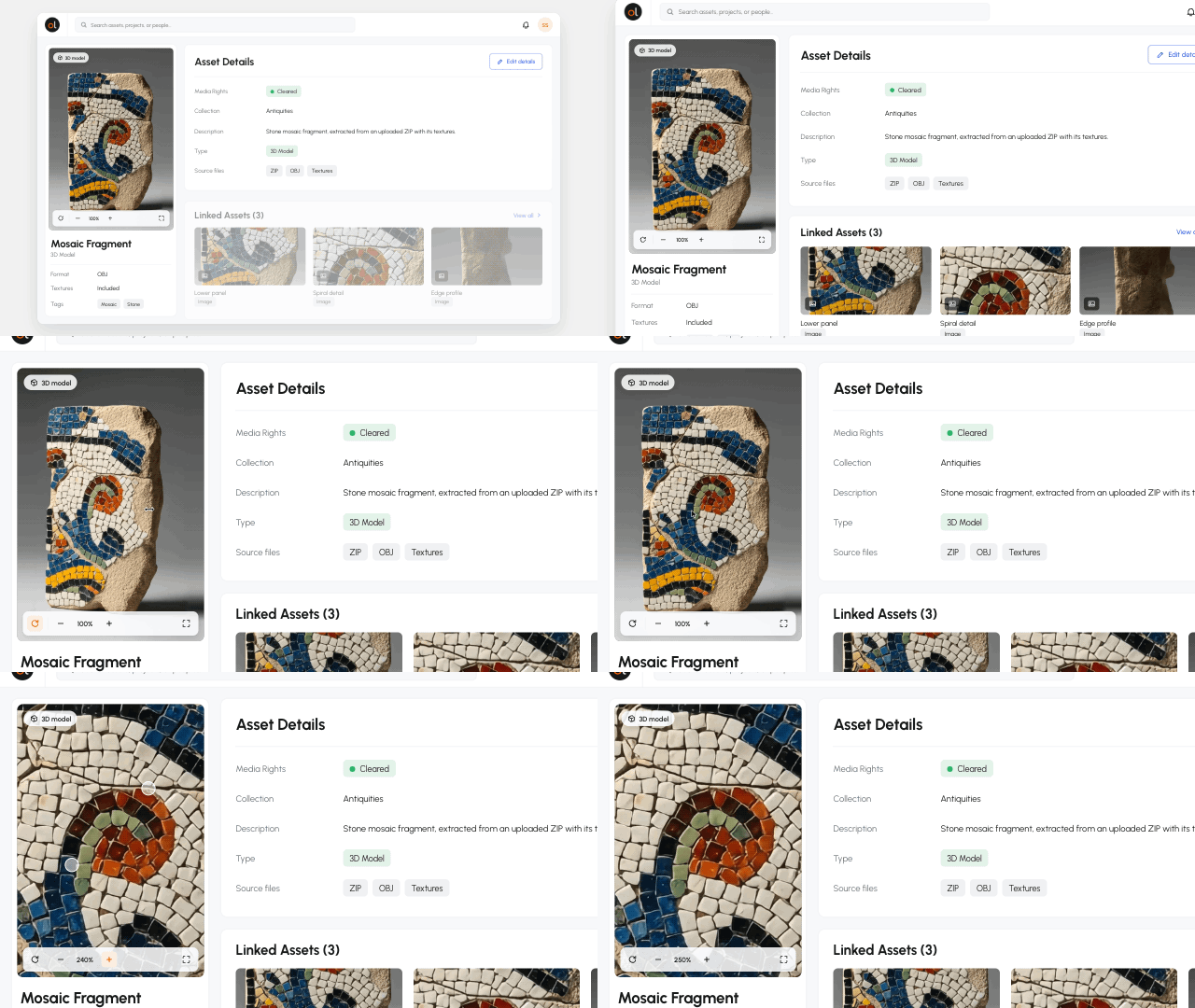
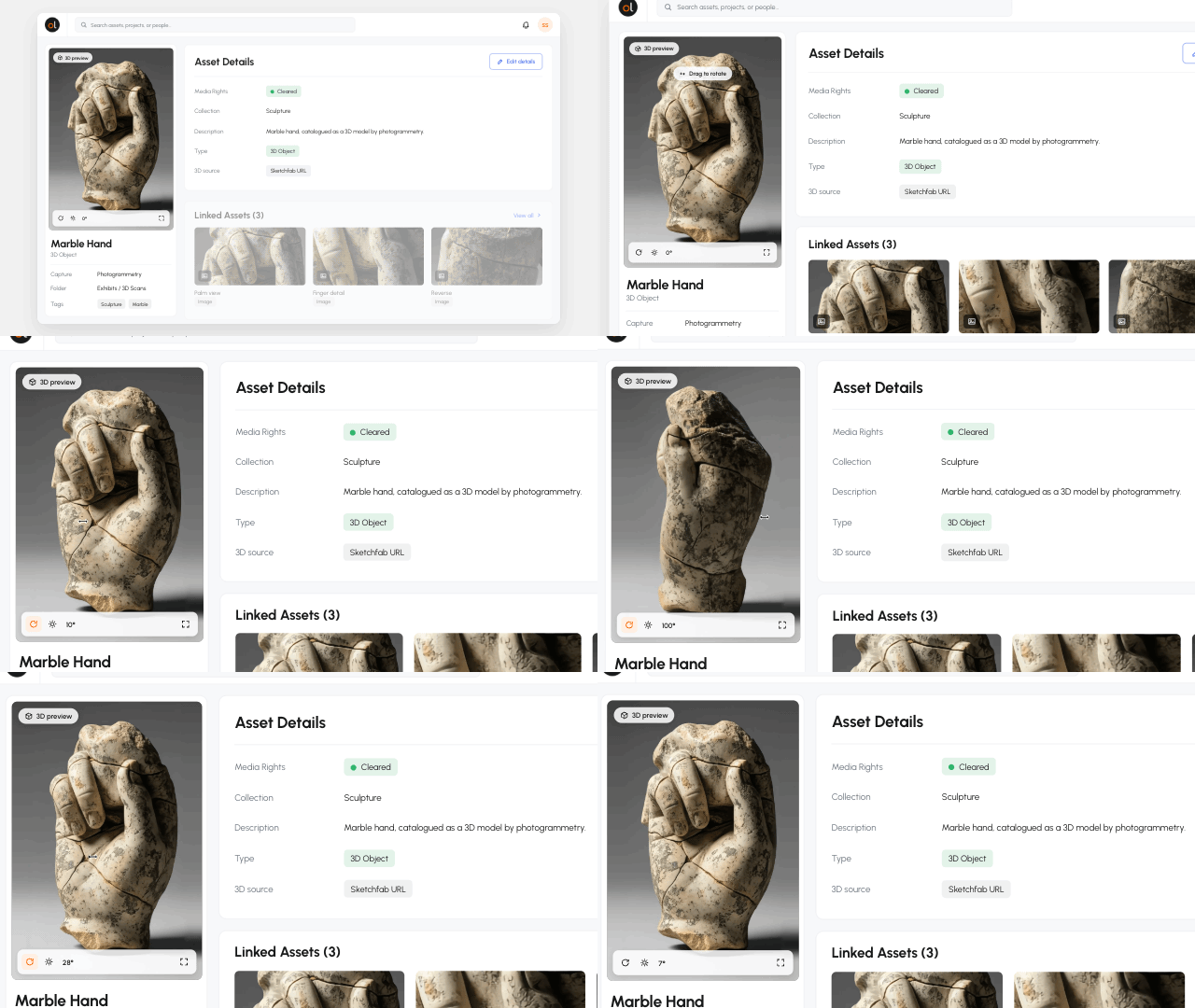
Orange Logic renders 3D models right in the asset record. Open one and you can turn it around and study its surface without downloading anything.
- Rotate the model. Explore the asset from any angle.
- Zoom into detail. Inspect textures, materials, reflections, and visual details more closely.
- Widen access. Let anyone with permission explore models from their browser.
People who don’t work in 3D can explore a model in full detail, so it’s useful well beyond the team that created it.
3D REVIEW & APPROVAL
COMPARE 3D VERSIONS
SIDE BY SIDE
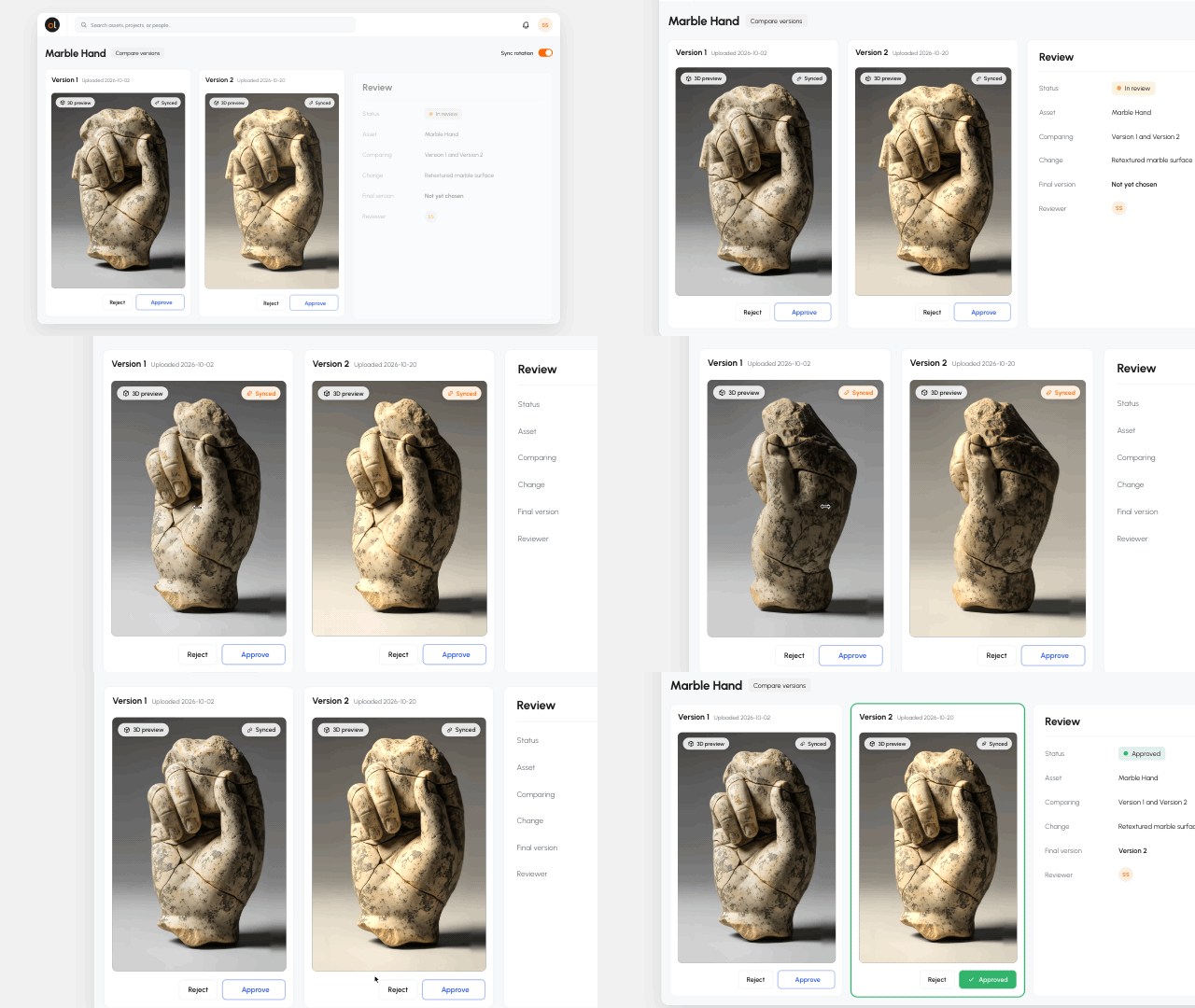
Each new scan or design update adds another version of the model. Orange Logic keeps every version together so reviewers can compare them before choosing one.
- Inspect each version. Rotate and zoom the model before making a decision.
- Compare side by side. Place variants together to spot differences visually.
- Choose the approved model. Keep the selected version linked to the asset and its history.
With Orange Logic, the version you choose becomes the one people find, explore, and share.
IMMERSIVE CONTENT
EXAMINE SCANNED OBJECTS
AND VIEW 360° VIDEO
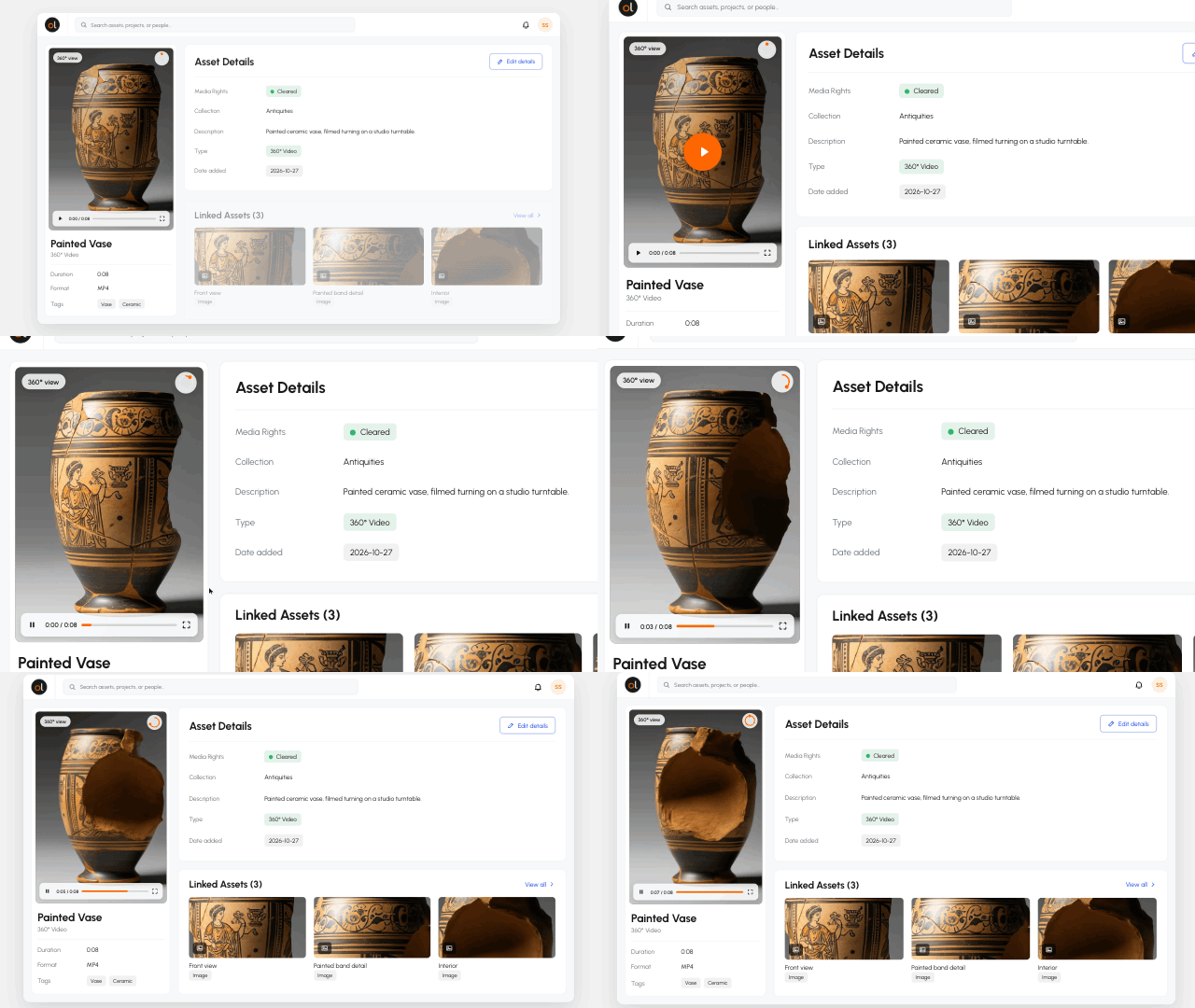
Digital collections increasingly include richer representations of physical objects and environments. Manage those formats as part of the same content library.
- Support photogrammetry. Manage 3D captures of physical objects, from products to artifacts.
- Link published collections. Attach a model’s Sketchfab URL to its record and explore it right in Orange Logic.
- Include 360° video. Keep immersive video alongside the rest of your collection.
Scans and 360° video sit alongside the rest of your library, and so will whatever format comes next.
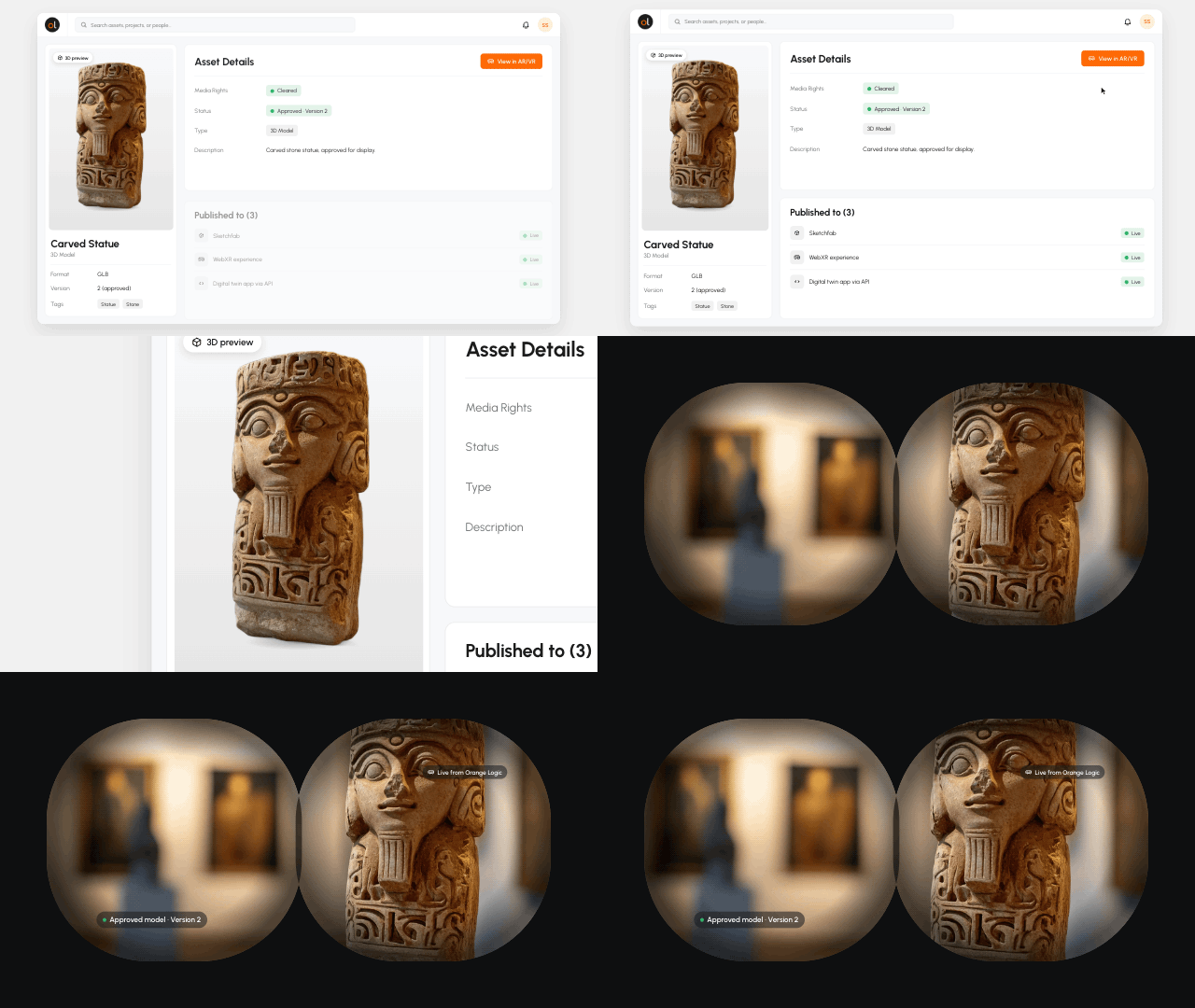
CONNECTED 3D ACTIVATION
SHARE 3D MODELS
BEYOND THE DAM
Approved 3D models can travel from Orange Logic to the websites, viewers, and apps where people use them, so the version on display is the one your team signed off on.
- Publish through Sketchfab. Make managed models available to supported Sketchfab experiences.
- Go into AR and VR. Use approved models in WebXR experiences that run in a browser or headset.
- Connect your own software. Let developers pull approved models into digital twins and other custom apps through the Orange Logic API.
Wherever your audience sees a model, it’s the version your team approved in Orange Logic.