BUILT-IN DAM PERMISSIONS
OPEN THE DAM TO MORE TEAMS
WITHOUT OPENING EVERYTHING
Enterprise DAMs serve employees, partners, agencies, and other audiences with very different needs. Orange Logic lets you give every group access to the content and actions that fit their work.
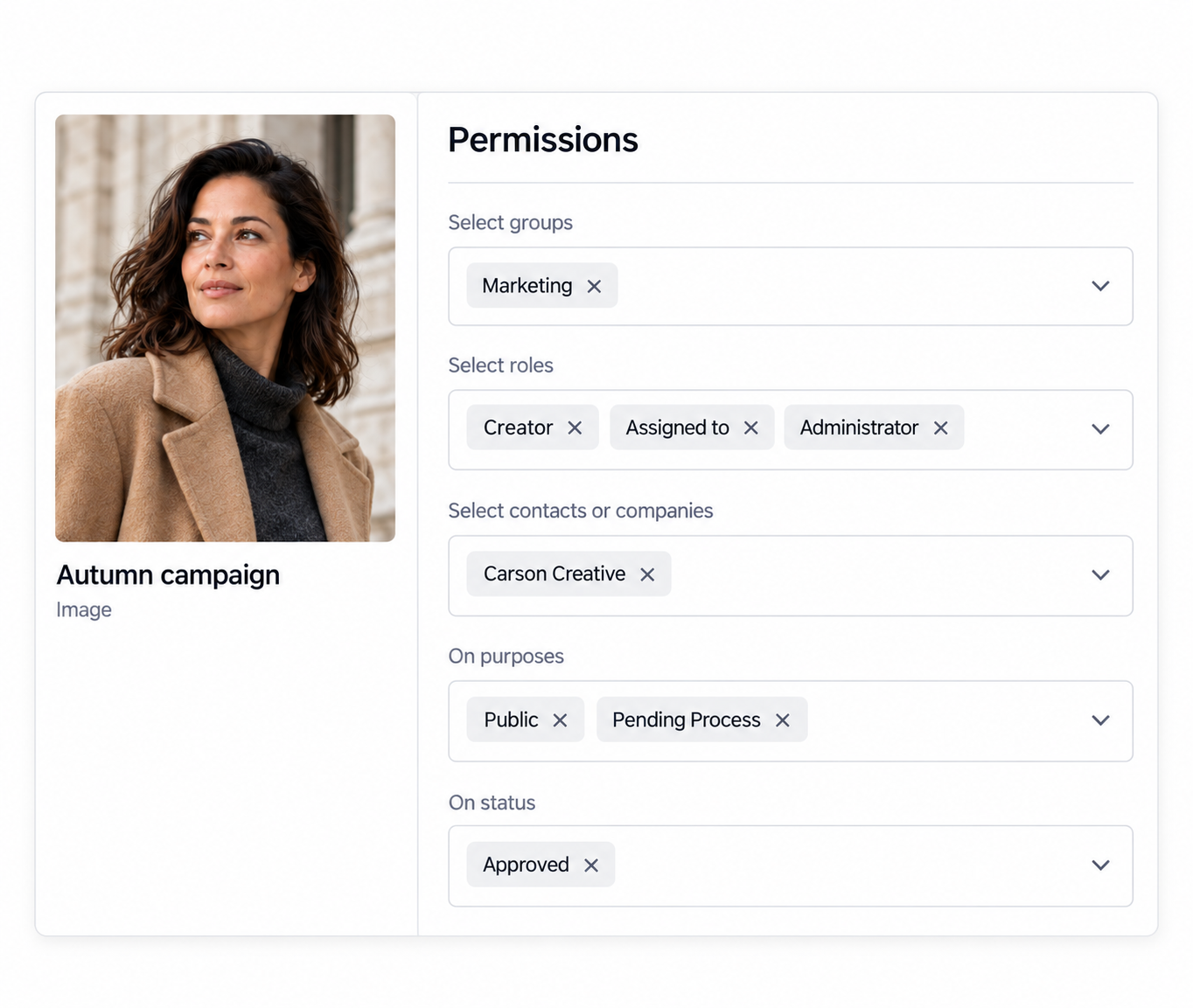
- Control who gets access. Apply permissions to roles, groups, or users, and to folders or single assets.
- Define what users can do. Decide who can view, download, and manage content.
- Protect restricted content. Keep sensitive assets out of view and out of search for audiences who should not see them.
Everyone works from one library, and sensitive content stays with the people cleared to see it.
ROLES & GROUPS
MANAGE ACCESS BY ROLE
AT ENTERPRISE SCALE
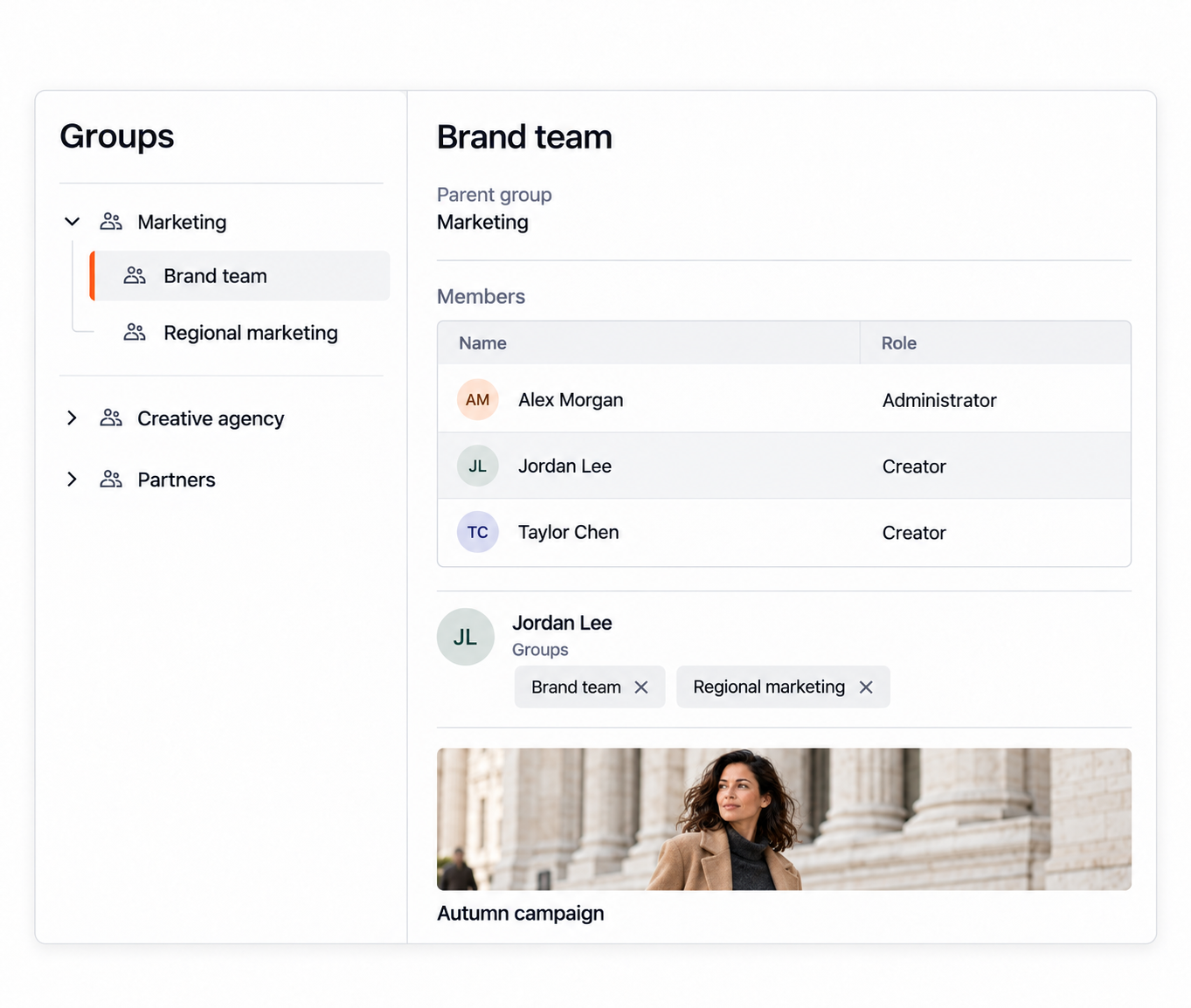
Orange Logic builds permission models around the teams and responsibilities that already exist in your organization, with no limit on the number of groups and roles you can create.
- Create granular groups and roles. Define the privileges each audience needs to do its work.
- Support overlapping responsibilities. Assign people to multiple groups when their work spans teams or functions.
- Inherit group privileges. Use group hierarchies so related teams share a common foundation of access.
When responsibilities shift, update the group once and every member’s access follows.
GRANULAR ASSET ACCESS
CONTROL WHAT USERS SEE
AND WHAT THEY CAN DO
Assets in the same library often call for different rules. Orange Logic lets you set access as broadly or as narrowly as each one needs.
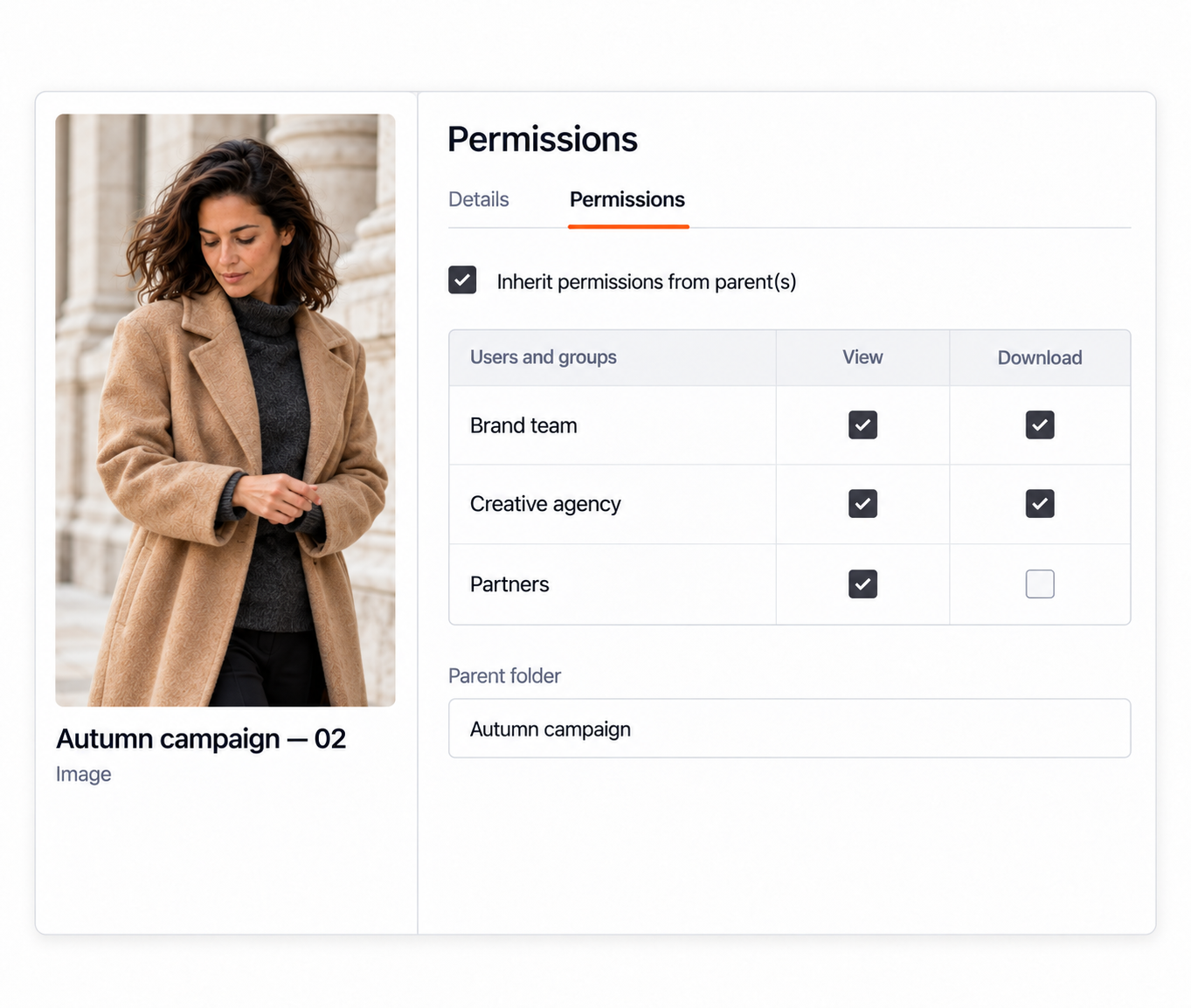
- Set content-level access. Restrict individual assets and folders to the users or groups who need them.
- Grant view-only access. Let users find and preview content without permission to download or take other restricted actions.
- Inherit permissions or override them. Pass permissions from parent folders to the content beneath them, then turn off inheritance where a specific folder or asset needs different protection.
Admins maintain a few broad rules and still handle exceptions with precision.
CONDITIONAL ACCESS
TIE ACCESS
TO LICENSES AND EMBARGOS
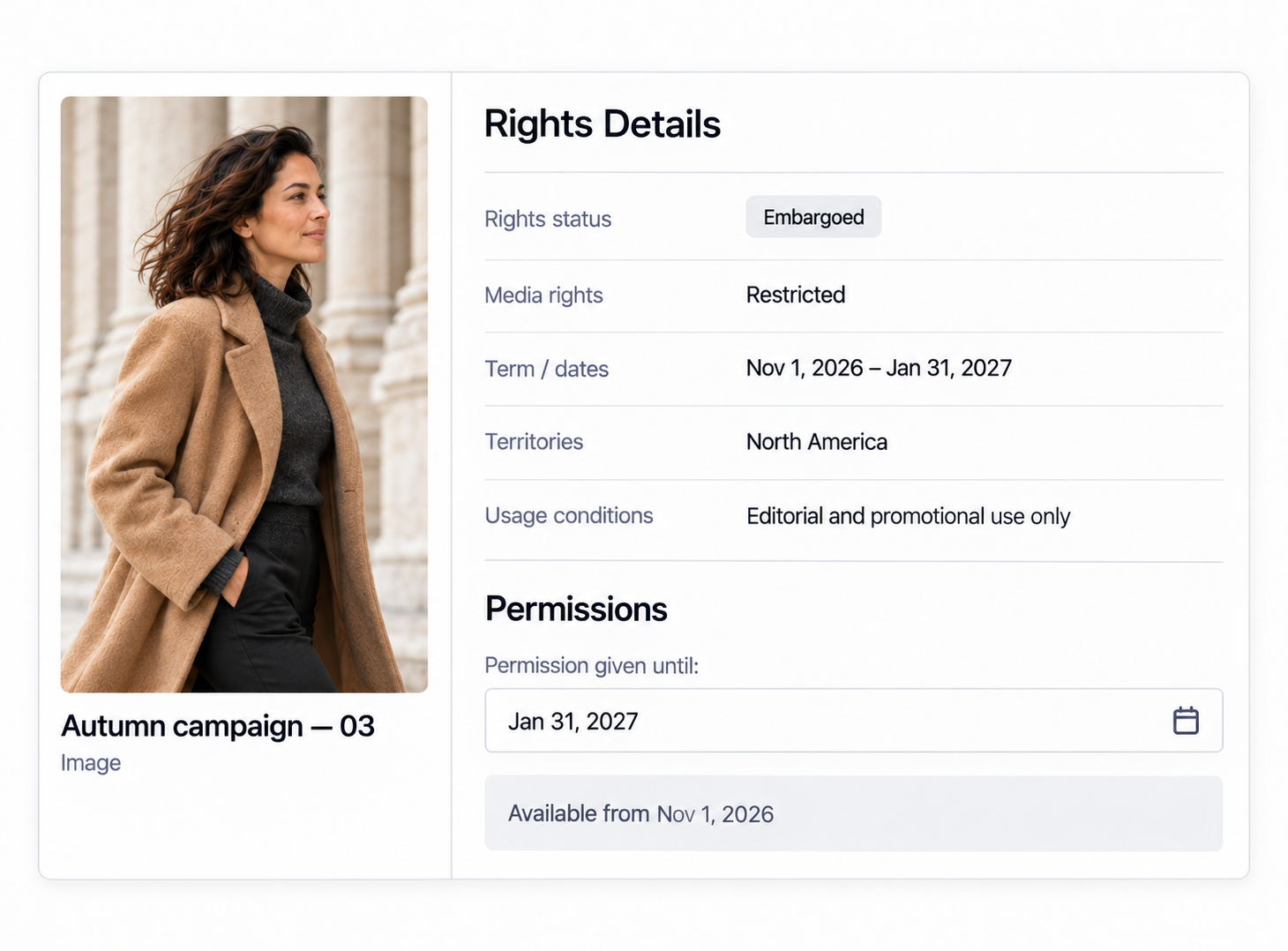
Content availability often depends on dates and rights, from product launches to license terms to partner contracts. Orange Logic tracks rights and controls access in the same platform, so assets are restricted or released automatically as licenses end and embargoes are lifted.
- Grant temporary access. Add an end date when a user or partner only needs permission for a defined period.
- Respect embargoes and expiration. Change availability when approval, licensing, or restriction dates begin or end.
- Restrict incomplete or expired content. Prevent assets from being available when required metadata is missing or applicable rights have expired.
Access always reflects the current terms, with no one having to step in to update it.
PERMISSION ADMINISTRATION
TEST ANY USER’S ACCESS
AND REVOKE IT IMMEDIATELY
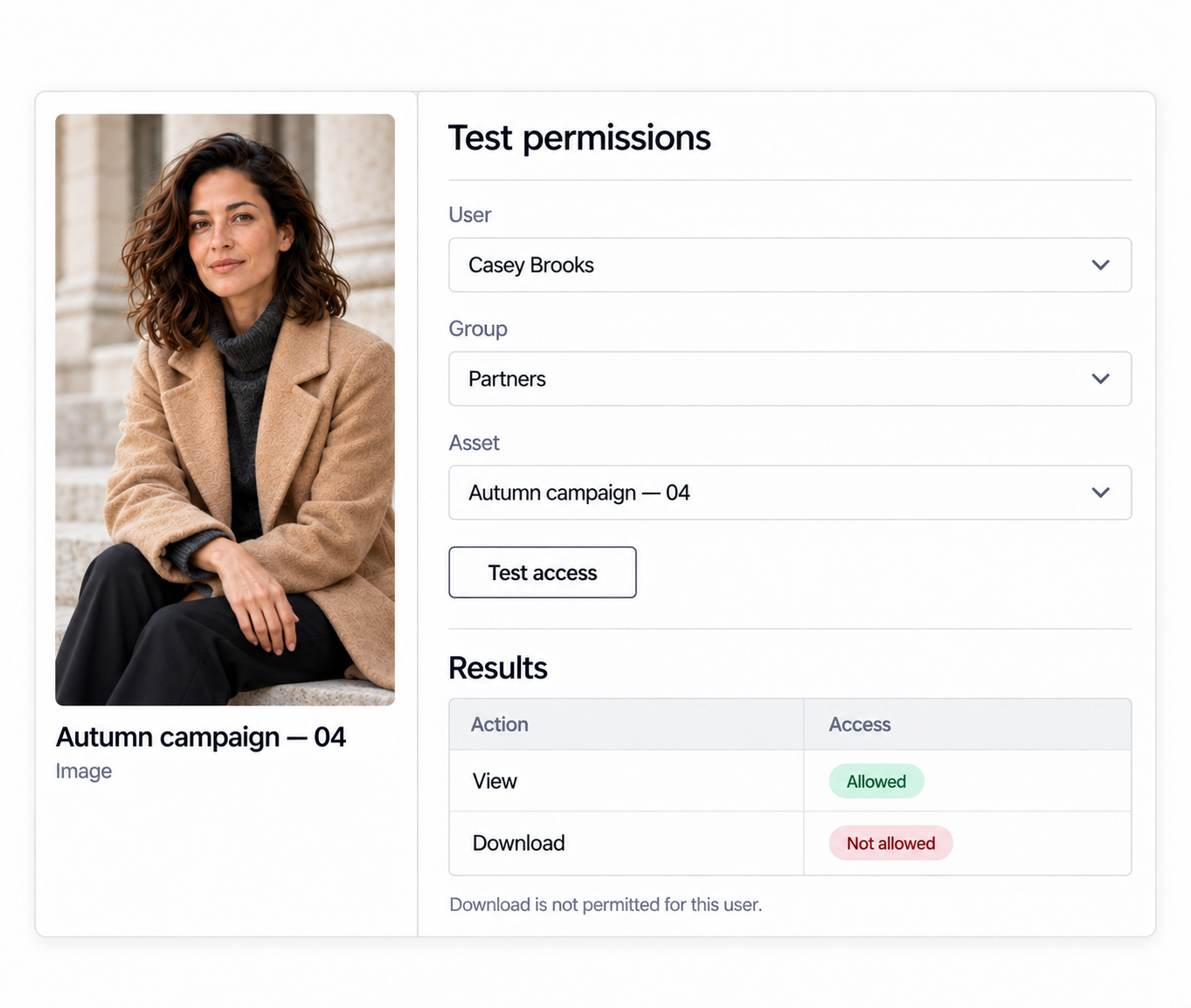
Permission changes are easier to trust when you can check the result. Orange Logic lets admins confirm whether a user can access content or take an action like downloading before that user tries it themselves.
- Test a user’s access. Check whether someone can reach an asset or perform a specific action such as downloading.
- Review DAM users. Report on who has access to the system and respond when that access changes.
- Act immediately. Remove or block users when they should no longer have access.
As the DAM opens to new teams and partners, you can confirm their access before they ever log in.