Centralizing digital content for a global team starts with a single Digital Asset Management (DAM) repository that holds every asset, so team members in any location find and work from the most current files instead of duplicating them. Collaboration improves when that repository is paired with shared workspaces, user roles and permissions, version control, comments and annotations, and automated approval workflows and notifications that keep everyone informed and aligned.
How to Centralize Content in DAM for Global Team Collaboration
-
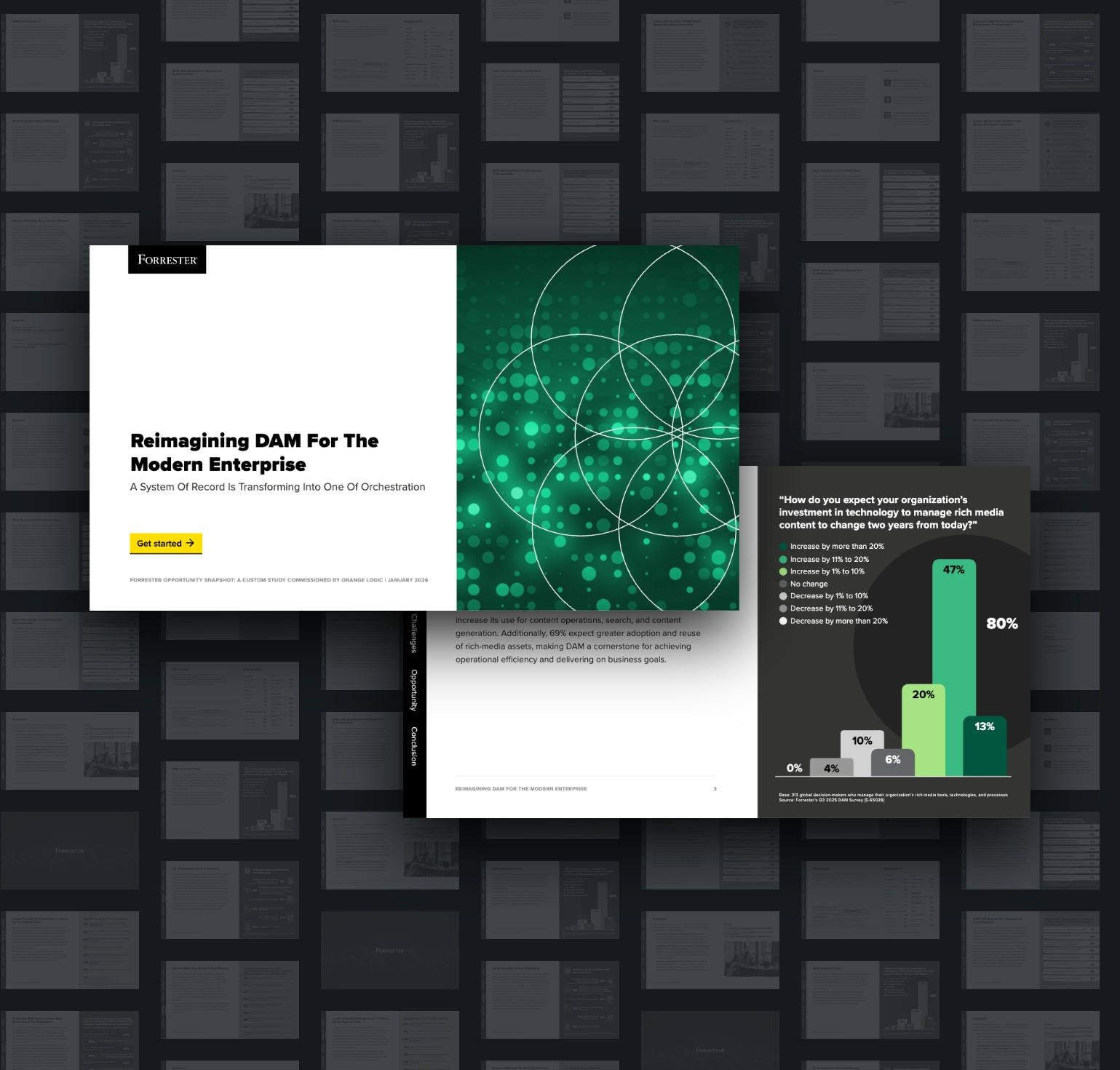
Consolidate Assets into a Centralized Repository: A DAM system serves as a centralized repository for all digital assets, making it easy for team members to find and access the files they need. This reduces duplication and ensures that everyone is working with the most current assets. In a2026 Forrester Consulting study commissioned by Orange Logic, 64% of the 313 global decision-makers surveyed agreed that their organization has missed opportunities because digital assets are siloed in disconnected systems.
-
Standardize Metadata and Naming Conventions: Agree on a shared set of metadata fields, tags, and file naming rules before assets are moved into the system, so teams in every region describe content the same way. Consistent metadata is what makes a centralized library searchable rather than simply large.
-
Set Access by Role, Region, and Partner: Assign roles and permissions that reflect how the organization actually works, so regional offices, agencies, and external partners can contribute to the same repository without gaining access to assets they should not see. This allows a single system to serve every location, rather than each team maintaining its own.
-
Integrate with Other Tools: DAM systems often integrate with other collaboration and project management tools, such as Slack, Trello, and Asana. This provides a seamless workflow and enhances overall productivity.
-
Automate Approval Workflows: Automated approval workflows streamline the review and approval process, ensuring that digital assets are reviewed by the necessary stakeholders before publication or distribution. Routing reviews inside the DAM keeps approvals moving when reviewers are in different time zones and are rarely online at the same time.
-
Track Collaboration Metrics: DAM systems often include reporting and analytics tools that track collaboration metrics, such as the number of comments, edits, and approvals. These insights help organizations understand how collaboration is impacting productivity and identify areas for improvement.
Collaboration in DAM: What it is and Why it Matters
Collaboration in Digital Asset Management (DAM) refers to the coordinated efforts of multiple individuals or teams working together to manage, create, edit, and distribute digital assets. Effective collaboration ensures that all stakeholders can access and contribute to digital assets efficiently, enhancing productivity, creativity, and overall project success.
-
Efficiency: Collaboration tools in DAM systems streamline workflows, reducing the time and effort required to manage digital assets. This allows teams to work more efficiently and meet project deadlines.
-
Creativity: Collaborative environments foster creativity by allowing team members to share ideas, provide feedback, and build on each other's work. This leads to more innovative and high-quality content.
-
Consistency: Collaborative efforts ensure that all digital assets adhere to the organization's brand guidelines and standards. This maintains consistency across all platforms and communications.
-
Transparency: Collaboration tools provide visibility into the status and progress of projects, ensuring that all team members are aligned and informed. This reduces miscommunication and enhances project management.
-
User Roles and Permissions: Assigning specific roles and permissions to users ensures that everyone has the appropriate level of access to digital assets. This maintains security and control while enabling efficient collaboration.
-
Shared Workspaces: DAM systems provide shared workspaces where team members can collaborate on projects, share assets, and track progress. These workspaces centralize all project-related information and materials. World Vision International uses Orange Logic to unify more than 90 international offices on a single asset repository, giving each office a shared space to contribute and pull content, and driving a 268% increase in users in 9 months since launch.
-
Comments and Annotations: Collaboration tools allow users to leave comments and annotations directly on digital assets. This facilitates feedback and discussion, helping to refine and improve the content.
-
Real-Time Editing: Some DAM systems support real-time editing, allowing multiple users to work on the same asset simultaneously. This enhances collaboration and speeds up the content creation process.
-
Version Control: Version control features track changes and maintain a history of modifications to digital assets. This ensures that the latest version is always available and allows users to revert to previous versions if needed.
-
Notifications and Alerts: Automated notifications and alerts keep team members informed about updates, approvals, and deadlines. This ensures that everyone stays on track and meets project milestones.
Key Components of Collaboration in DAM
-
Integration with Other Tools: DAM systems often integrate with other collaboration and project management tools, such as Slack, Trello, and Asana. This provides a seamless workflow and enhances overall productivity.
-
Centralized Repository: A DAM system serves as a centralized repository for all digital assets, making it easy for team members to find and access the files they need. This reduces duplication and ensures that everyone is working with the most current assets.
-
Approval Workflows: Automated approval workflows streamline the review and approval process, ensuring that digital assets are reviewed by the necessary stakeholders before publication or distribution.
-
Collaboration Metrics: DAM systems often include reporting and analytics tools that track collaboration metrics, such as the number of comments, edits, and approvals. These insights help organizations understand how collaboration is impacting productivity and identify areas for improvement.
Global Collaboration in DAM: Challenges and Best Practices
-
User Training: Providing training on collaboration tools and best practices ensures that all team members can effectively use the DAM system. This enhances user adoption and maximizes the benefits of collaboration.
-
Consistent Communication: Establishing clear communication channels and protocols helps prevent miscommunication and ensures that all team members are informed and aligned.
-
Managing Permissions: Carefully managing user roles and permissions is crucial for maintaining security and control over digital assets. Regularly reviewing and updating permissions ensures that only authorized users have access to sensitive information.
-
Feedback Loops: Implementing feedback loops allows for continuous improvement of digital assets. Encouraging regular feedback and incorporating it into the content creation process enhances the quality and relevance of the assets.
Bottom Line: Centralizing content for Global Collaboration in DAM
Collaboration is a vital aspect of effective Digital Asset Management, enabling teams to work together efficiently to create, manage, and distribute digital assets. By leveraging collaboration tools and best practices, organizations can enhance productivity, creativity, and consistency, ensuring that their digital assets are of the highest quality and align with their brand standards. Implementing robust collaboration features within a DAM system not only streamlines workflows but also fosters a more innovative and cohesive work environment. As the need for efficient and effective digital asset management continues to grow, collaboration will remain a key component of successful DAM strategies.